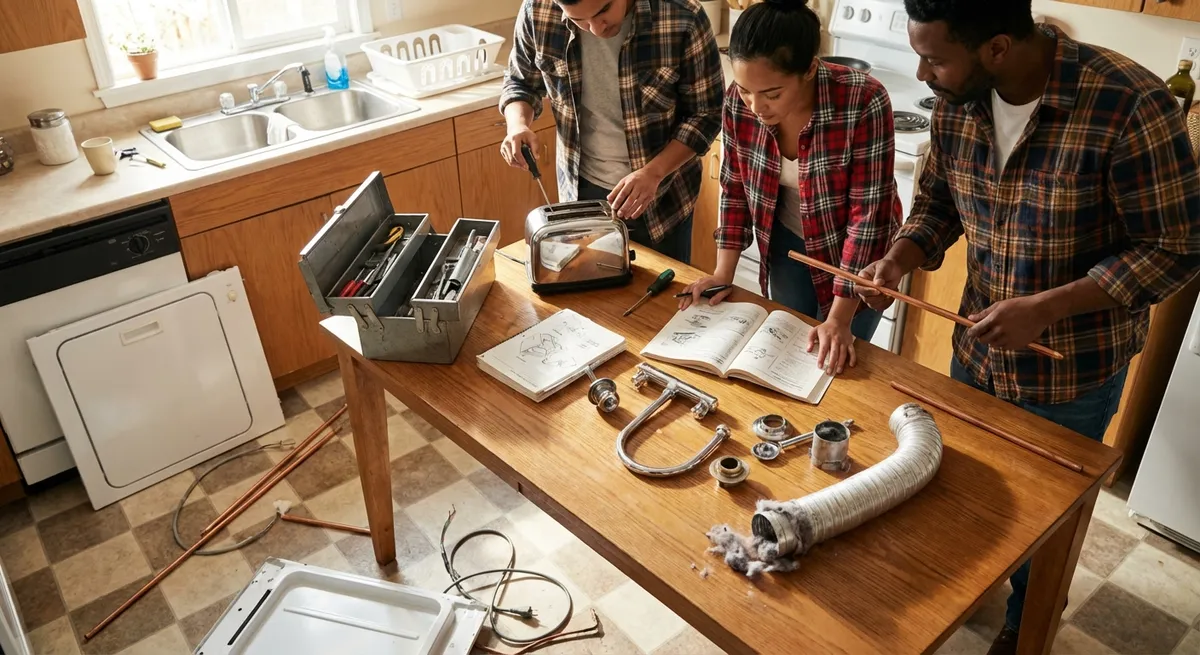
Appliances rarely fail at a “good” time—usually it’s when you’re halfway through laundry or mid-dinner prep. The good news: a lot of the issues that stop your day cold are simple, safe fixes you can handle with basic tools and a little patience. This guide walks through five practical, step‑by‑step repair tips that DIYers can realistically complete in a weekend, without guessing or tearing half the kitchen apart.
Before You Start: Safety and Smart Prep
Before you touch a screw, set yourself up to work safely and efficiently. A few minutes of prep can save you hours of frustration later.
Unplug every appliance before you open a panel, remove a cover, or touch wiring. For gas appliances, turn off the gas supply at the shutoff valve if you’ll be anywhere near burner assemblies. If you’re dealing with water (dishwasher, washer, fridge with ice/water), locate the shutoff valve and make sure you can close it quickly in case of a leak.
Create a small “repair kit” that lives in your home, so you don’t have to hunt for tools every time: a #2 Phillips screwdriver, flat-head screwdriver, nut driver set or socket set, adjustable wrench, needle‑nose pliers, a flashlight or headlamp, a non‑contact voltage tester, and a roll of painter’s tape for labeling wires or screws. A phone camera is your best friend: take photos before you disconnect anything so reassembly is straightforward.
Finally, look up your model number (usually on a sticker inside a door or on the back of the appliance) and keep it handy. It’s the key to finding the right parts and accurate diagrams. With that in place, you’re ready to tackle real repairs—not just “turn it off and on again.”
1. Dishwasher That Won’t Drain: Clearing the Hidden Clog
A dishwasher full of dirty water looks like a disaster, but the cause is often a simple blockage you can reach without special tools. In many homes, this is one of the easiest “big win” repairs.
Step 1: Kill power and remove standing water
Unplug the dishwasher or switch off the circuit at the breaker. Scoop out standing water with a cup and finish with towels or a sponge so you can see the bottom clearly.
Step 2: Check the sink and disposal connection
If you have a garbage disposal, run it with cold water for 20–30 seconds. Dishwashers often drain through the disposal, and a jam there can back water up into the dishwasher. If the disposal was just installed or replaced, inspect the dishwasher drain port on the side of the disposal: there’s a knockout plug that must be removed for the dishwasher to drain. If it’s still in place, you’ll see solid plastic blocking the port.
Step 3: Clean the dishwasher filter and sump
Open the dishwasher and remove the lower rack. Most modern dishwashers have a twist‑out filter assembly at the bottom; rotate and lift it out. Wash the filter under running water and clear any food sludge or glass from the sump area underneath. Don’t reach blindly—shine a light in first and use a spoon or gloved hand to avoid sharp debris.
Step 4: Inspect the drain hose for kinks and clogs
Follow the drain hose from the dishwasher to where it connects under the sink or at the disposal. Make sure it isn’t kinked or crushed. If you can, disconnect the hose at the sink/disposal end (place a towel and shallow pan underneath) and blow through it or run water through it. If it’s blocked, you may feel resistance or see debris come out.
Step 5: Test the drain cycle
Reconnect everything, restore power, and run a short wash or drain cycle. Watch under the sink for leaks where you disturbed connections. If the dishwasher now drains properly, you’ve solved the problem with cleaning and basic checks. If it still won’t drain but you hear a humming noise from the base, the drain pump itself may be jammed or failed—doable, but a step up in complexity that may warrant a parts lookup or pro help.
2. Dryer Taking Forever to Dry: Restoring Real Airflow
If your dryer heats but clothes stay damp for ages, there’s a good chance the problem isn’t the machine’s heater—it’s airflow. Poor ventilation wastes energy, wears out fabrics, and is a real fire risk. Luckily, you can fix most of this in an afternoon.
Step 1: Unplug and pull the dryer out
Unplug the dryer and gently pull it away from the wall so you can access the vent connection. Be careful not to crush the vent hose while moving it. If it’s gas, turn off the gas shutoff valve first and avoid straining the gas line.
Step 2: Clean the lint trap housing
Remove the lint screen and vacuum the lint trap opening thoroughly with a narrow attachment. Lint builds up just beyond where you can see, reducing airflow significantly. If your vacuum attachment is too short, there are inexpensive lint‑brush kits that reach deeper into the housing.
Step 3: Inspect and clean the vent hose
Disconnect the vent hose from the back of the dryer and from the wall vent. If it’s made of thin, flexible plastic or foil, plan to replace it with a rigid or semi‑rigid metal duct—it’s safer and less prone to crushing. Shake out lint, then use a brush or your vacuum to clean the inside of the hose. Check for sharp bends or long, unnecessary runs that slow airflow.
Step 4: Clear the exterior vent
Go outside and find the vent outlet. Open the cover or louvers and remove any lint, leaves, or nests. If you can reach inside, gently clear lint buildup. For long runs, a vent cleaning brush kit can help you scrub further into the duct from either side.
Step 5: Reassemble and test airflow
Reconnect the vent hose securely with clamps or foil tape (not duct tape—it breaks down with heat). Plug the dryer in, turn on a timed heat cycle, and go back outside. You should feel a strong, warm airflow at the vent. If airflow is weak even after cleaning, the internal blower or internal ductwork could be restricted and may require opening up the dryer cabinet. But in many cases, these steps dramatically cut drying time and reduce energy use.
3. Refrigerator Too Warm: Fixing Airflow, Not Just the Thermostat
A fridge that’s “coolish” but not cold enough often isn’t dying—it’s struggling to move cold air where it needs to go. Airflow issues and dirty coils are common and very fixable with simple tools.
Step 1: Confirm actual temperatures
Don’t rely on how food “feels.” Place an appliance thermometer in the fridge and freezer. You want about 37–40°F (3–4°C) in the fridge and 0°F (‑18°C) in the freezer. If the freezer is OK but the fridge is warm, airflow from the freezer to the fridge compartment is the prime suspect.
Step 2: Clear blocked vents inside
Open the fridge and freezer and look for vent openings, typically at the back or sides. Move food, pizza boxes, and containers at least a couple of inches away so air can circulate. Overpacking the fridge can turn it into an insulated box that traps warm pockets, especially near doors.
Step 3: Clean the condenser coils
Unplug the fridge. Pull it away from the wall and locate the condenser coils—on newer units, they’re usually behind a lower rear panel or at the front behind a kick plate. Use a coil brush and vacuum to gently remove pet hair and dust. Clogged coils force the compressor to work harder and can prevent proper cooling. Wipe up any dust that falls onto the floor or bottom pan.
Step 4: Check the door seals (gaskets)
Close a sheet of paper or a thin dollar bill in the door so it’s half in, half out. Gently tug—there should be resistance all around the door. If the paper slides out easily in some spots, the gasket may be dirty, warped, or torn. Clean the gasket with warm, soapy water and a soft cloth, then dry it and inspect for cracks. Minor warping sometimes improves if you warm the gasket gently with a hair dryer and press it into place while it cools.
Step 5: Inspect the evaporator fan
If the freezer is very cold but the fridge is not, and you notice quiet or uneven airflow inside, the evaporator fan (usually in the freezer) may be the issue. With the power unplugged, remove the freezer’s rear interior panel to access the fan housing (refer to your model’s diagram). Check for ice buildup, debris, or a fan blade blocked by packaging. Clear obstructions, reassemble, and restore power. If the fan doesn’t spin at all when the compressor is running, you may need a replacement fan motor—a repair many DIYers can do with basic tools and a correct part.
4. Washing Machine That Shakes or Walks: Rebalancing the Beast
A washer that thumps, bangs, or “walks” across the floor doesn’t just sound bad—it can damage hoses, floors, and the machine itself. Often the cure is better leveling and load management, not an expensive service call.
Step 1: Pause and redistribute the load
If the machine starts shaking during spin, pause the cycle. Open the lid or door, and rearrange clothes so they’re evenly distributed around the drum. A single heavy item (like a blanket) bunched on one side can throw the drum off balance and cause violent vibration.
Step 2: Check the floor and position
Pull the washer slightly away from the wall and check that the floor beneath is solid and relatively flat. Bouncy wooden floors can exaggerate movement. Make sure the washer isn’t partially sitting on a rug or mat only under the front or back—that can create a rocking point.
Step 3: Level the washer
Place a level on top of the washer, front to back and side to side. Adjust the leveling feet at the bottom by turning them up or down until the bubble is centered in both directions. Tighten the lock nuts on the feet if present so they don’t move over time.
Step 4: Test for rocking
With the machine empty and unplugged, try rocking it from each corner. If it wobbles, fine‑tune the feet until the washer feels solid and doesn’t move when you push from different angles. Front‑loaders are especially sensitive to being perfectly level.
Step 5: Run a test spin
Run a rinse and spin cycle with a few towels to test stability. If it still shakes aggressively even when level and with balanced loads, internal suspension components (like shock absorbers or suspension rods) may be worn. Many of these parts are replaceable at home with patience and a good tutorial, but leveling and load balancing solve a surprising percentage of vibration complaints.
5. Oven That Won’t Heat Right: Calibrating and Simple Checks
If your cookies are always burned on the bottom or your roast takes an extra 45 minutes, your oven may not be heating to the temperature you set. Before assuming the heating element is dead, run through a controlled test and some basic adjustments.
Step 1: Verify with an oven thermometer
Place an oven‑safe thermometer in the center of the middle rack. Set the oven to 350°F (about 175°C) and let it preheat, then wait an additional 10–15 minutes to stabilize. Check the thermometer reading. Repeat the check a couple of times to see if it’s consistently off by a similar amount.
Step 2: Adjust oven calibration (if available)
Many modern ovens have a calibration option in the control menu. Consult your manual (or look up your model online) for “temperature offset” or “calibration” instructions. You can usually adjust up or down in 5–35°F increments to match the actual temperature you measured. Make a small adjustment, re‑test, and tweak again if needed.
Step 3: Inspect the bake element or gas burner
For electric ovens, set the oven to bake and, after it heats, visually inspect the lower bake element through the door: it should glow evenly red. Dark spots, blisters, or breaks suggest a failing element. For gas ovens, observe the burner during preheat (through the broiler drawer or access panel if safe): it should ignite promptly and burn with a steady blue flame. Repeated clicking or delayed ignition may indicate a dirty igniter or burner.
Step 4: Check the door seal
Heat loss through a leaky door gasket can force the oven to run constantly and still cook unevenly. Like with the refrigerator, inspect the gasket for flat spots, gaps, or tears. Close the door on a strip of paper and gently pull—there should be firm resistance around the entire perimeter. Damaged gaskets are usually held by clips or a channel and are often a straightforward DIY replacement.
Step 5: Clean carefully—without damaging sensors
Heavy grease and burnt‑on spills can create hot spots and smoke. Clean the interior with a non‑abrasive cleaner or baking soda paste, avoiding direct scrubbing of the temperature sensor probe (a thin metal rod typically on the rear wall) or heating elements. Avoid spraying cleaner directly into vents or onto the sensor. A clean cavity helps heat distribute more evenly and reduces odor and smoke when preheating.
Conclusion
You don’t need a truck full of tools or a technician on speed‑dial to keep your home running. By focusing on drain flow, airflow, leveling, and basic calibration, you can solve a surprising number of everyday appliance problems yourself—and learn a lot about how your gear actually works in the process. Start with the issue that annoys you most, follow the steps carefully, and document what you do with photos. If you hit a point where the repair involves gas lines, sealed refrigeration systems, or complex wiring you’re not comfortable with, that’s the time to bring in a pro. But for many common failures, a clear head, an unplugged cord, and 30–60 minutes of methodical work are all it takes.
Sources
- U.S. Department of Energy – Appliances & Equipment - General guidance on efficient operation and maintenance of home appliances
- Consumer Product Safety Commission – Safety Guides - Authoritative information on household electrical and fire safety practices
- Energy Star – Clothes Dryers - Explains the importance of proper venting and maintenance for safe, efficient dryer operation
- GE Appliances Support - Model-specific troubleshooting tips and manuals for many common household appliances
- University of Nebraska–Lincoln Extension – Home Appliance Energy Use - Educational publication on how appliance condition and maintenance affect performance and energy use
Key Takeaway
The most important thing to remember from this article is that this information can change how you think about Appliances.



