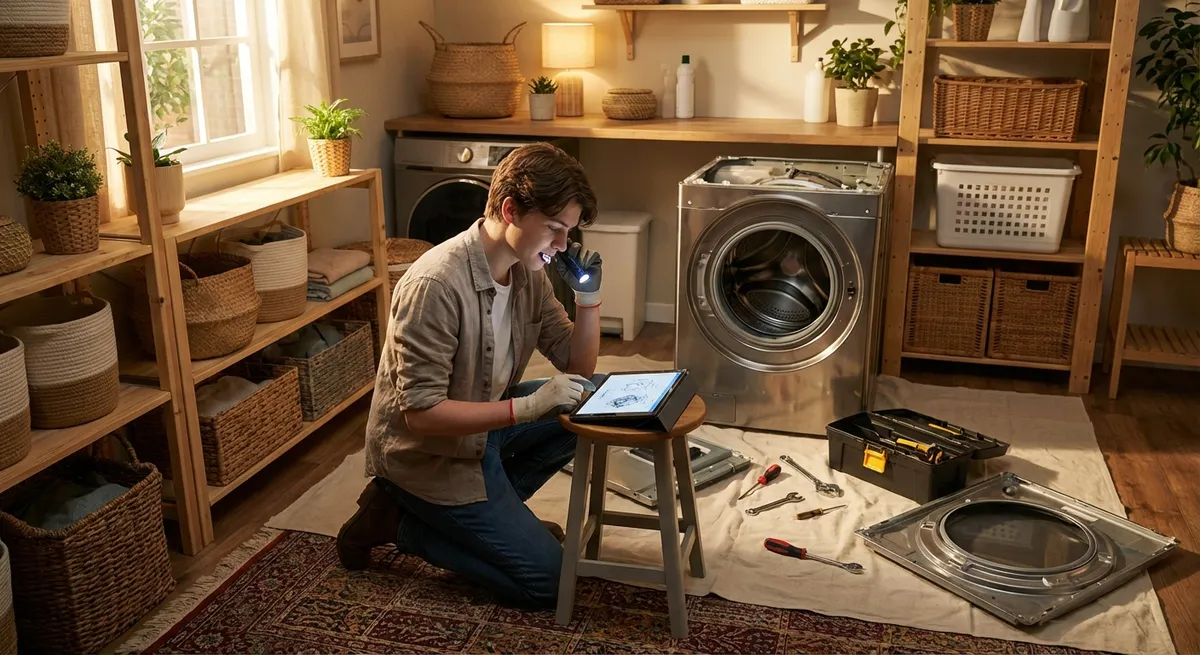
Modern appliances are built to be more efficient than ever—but that also means more ways for things to go wrong. The good news: many “my appliance is dying” moments are actually simple issues you can safely handle yourself. This guide walks through five practical, step‑by‑step repair tips that help you fix common problems, avoid unnecessary service calls, and understand when it’s time to stop and call a professional.
Know Your Safety Basics Before You Start
Before grabbing a screwdriver, get comfortable with a few safety habits. They take seconds and can prevent shocks, fires, or expensive mistakes.
First, always disconnect power before opening or moving an appliance. For plug-in units, unplug them from the wall. For hard‑wired appliances (some dishwashers, built‑in microwaves, or wall ovens), switch off the correct breaker in your electrical panel and label it so others don’t flip it back on.
Second, turn off water and gas supplies when working on appliances connected to those lines. For washing machines and dishwashers, close the shutoff valves at the wall. For gas ranges or dryers, close the gas shutoff valve and never work in an area where you smell gas—leave and call your gas company or emergency services.
Third, use the right tools: a basic set of screwdrivers, a nut driver set, pliers, a flashlight or headlamp, and a multimeter if you’re comfortable checking for continuity and voltage. Work in good lighting and keep track of your screws by putting them in small containers or labeling them by panel location.
Finally, know your limits. If a repair involves pressurized gas lines, refrigerant systems, sealed components, or you’re not sure what you’re looking at, stop. Appliance repair professionals exist for a reason—DIY is about smart fixes, not unsafe heroics.
Step-by-Step: Fixing a Refrigerator That’s Not Cooling Well
When a fridge runs but doesn’t feel cold enough, many people assume it’s dying. Often, the problem is airflow or dirt—not a failed compressor. This is one of the best “first fixes” to learn, because proper airflow and clean coils can restore performance and cut energy use.
1. Check temperature settings and basic airflow
- Verify the thermostat settings: aim for 37–40°F (3–4°C) in the fridge and 0°F (-18°C) in the freezer.
- Make sure nothing is blocking the air vents, especially in the freezer compartment; stacked pizza boxes or bags of frozen veggies can choke off cold air reaching the fridge section.
- Leave a bit of breathing room: avoid packing food tight against walls and shelves; cool air needs space to circulate.
2. Inspect and clean the door gaskets
- Open the door slowly and look for cracks, tears, or warped seals around the edges.
- Close a sheet of paper in the door and gently pull—if it slides out easily, that section of the gasket isn’t sealing well.
- Clean gaskets with warm, soapy water and a soft cloth to remove grime that prevents a tight seal. Dry thoroughly.
- If the gasket is damaged or permanently warped, order a replacement using your model number and follow the manufacturer’s instructions to install it.
3. Clean condenser coils
- Unplug the refrigerator.
- For units with rear coils: pull the fridge away from the wall carefully and locate the metal coils on the back. For bottom-coil models: remove the lower front grille or back panel.
- Use a coil brush and vacuum with a crevice tool to remove dust and pet hair. Clean gently to avoid bending the fins.
- Reposition the fridge so there’s at least a few inches of clearance behind and above for ventilation, then plug it back in.
4. Listen for fan operation
- After plugging in, listen for the condenser fan (usually near the compressor) and the evaporator fan (inside the freezer).
- If the fridge runs but a fan is silent, blocked, or making grinding noises, you may have a failing fan motor or ice buildup. Basic fan access is usually DIY-friendly; replacing motors is possible but should only be done if you’re comfortable and have a repair manual or video guide for your exact model.
5. Give it time and monitor temperatures
- Allow 12–24 hours for temperatures to stabilize after cleaning and adjustments.
- Use an appliance thermometer in both compartments to check actual temperatures rather than relying only on the dial.
If you’ve cleaned coils, freed airflow, and verified gaskets yet temperatures stay high, it may indicate a sealed system or control board issue—time to call a qualified technician.
Step-by-Step: Getting a “Dead” Washer to Power On Again
A washer that suddenly won’t turn on can feel like a major failure, but many cases are caused by power, lid, or door issues. Working through these checks can bring a “dead” washer back to life without touching the internal electronics.
1. Confirm power and outlet health
- Check that the washer is firmly plugged in; large appliances can vibrate and slowly loosen plugs.
- Test the outlet by plugging in another device (like a lamp or phone charger).
- If that device doesn’t work either, check the circuit breaker and reset if it’s tripped.
- For GFCI or AFCI outlets/breakers, press the reset button and test again.
2. Inspect the power cord and strain relief
- Unplug the washer and inspect the cord for cuts, burnt marks, or kinks, especially where it enters the machine.
- If the cord or plug shows damage, stop using it and arrange for replacement—damaged cords are a fire and shock hazard and should be replaced to code.
3. Check the lid or door switch
- Many top-load washers won’t start if the lid switch doesn’t detect a closed lid; front-loaders rely on a door lock mechanism.
- Close the lid or door firmly and listen for a click; if it feels loose or you don’t hear anything, the switch or lock may be faulty.
- Gently press down on the lid area where the switch sits and try starting the cycle—if it works when pressed, the switch or mounting bracket likely needs adjustment or replacement.
4. Inspect the control panel and settings
- Ensure the washer isn’t accidentally set to “Delay Start” or “Pause.”
- For models with digital controls, perform a reset: unplug for a minute or two, then plug back in and try again. Some brands have specific reset sequences listed in the user manual.
- If the panel partially lights or behaves erratically, there may be a control board issue that’s not DIY‑friendly.
5. Look under the machine (carefully)
- If safe to move, pull the washer forward slightly and look under it with a flashlight.
- Check for obvious leaks, burned areas, or loose wires near the bottom access panel if your model has one.
- If you see scorch marks, melted insulation, or significant pooling water, stop and call a professional—this goes beyond basic DIY.
When a washer still won’t power on after these checks, documenting what you’ve tried and any sounds or error lights will help an appliance tech diagnose faster and more accurately.
Step-by-Step: Helping a Dishwasher That Isn’t Draining
A puddle of water at the bottom of your dishwasher doesn’t automatically mean the pump is bad. Most drainage issues come down to clogs in the filter, hose, or sink plumbing. Clearing these safely is well within most DIYers’ capabilities.
1. Run a cancel/drain cycle
- Start by trying the dishwasher’s drain or cancel function (check the manual if you’re not sure which button).
- Listen: if you hear the drain pump running but water isn’t leaving, the problem is likely a physical blockage rather than a dead pump.
2. Clean the filter and sump area
- Turn off power to the dishwasher at the breaker or unplug it if accessible.
- Remove the bottom rack for clear access.
- Take out the filter assembly in the bottom (typically a cylindrical fine filter and a flat coarse screen).
- Rinse filters under warm water and gently scrub off food debris and grease.
- With filters removed, inspect the sump (the well under the filter) and remove any food, glass, or labels blocking the inlet.
3. Check the drain hose and air gap (if present)
- Locate the drain hose under the sink: it usually runs from the dishwasher to the garbage disposal or sink drain.
- Check for kinks or sharp bends and straighten them out.
- If your sink has an air gap (a small metal or plastic cylinder above the sink), twist off the cap and clean out any debris.
- Place a towel or small bucket under the hose connection and briefly disconnect it (with power off). Check for clogs and rinse it out if necessary.
4. Inspect the garbage disposal connection
- If your dishwasher drains through a garbage disposal, make sure the disposal isn’t clogged. Run it with cold water for 20–30 seconds.
- For recent installations: confirm that the disposal’s dishwasher knockout plug was removed. If it wasn’t, no water can enter the disposal from the dishwasher—this requires removal per the installation instructions.
5. Test a short cycle
- Reassemble the filter and hose connections.
- Restore power and run a quick rinse cycle or cancel/drain.
- Watch the sink drain for water flow and check inside the dishwasher at the end of the cycle to confirm the water is gone.
Persistent problems after these steps—especially accompanied by humming or grinding from the pump—may indicate a failing drain pump or internal blockage that’s better left to a pro.
Step-by-Step: Reviving an Electric Dryer That Takes Forever to Dry
When clothes come out warm but still damp after a full cycle, the instinct is to blame the heating element. In many cases, the real issue is restricted airflow—from lint buildup in places you can’t see.
1. Confirm basic settings and load size
- Make sure you’re not using an “Air Fluff” or “No Heat” setting. Choose a timed dry or normal/automatic cycle with heat.
- Avoid overloading the drum; clothes should have room to tumble freely. Packed loads dry slowly regardless of heat.
2. Clean the lint screen thoroughly
- Remove the lint screen and clean it before every load.
- About once a month, wash the screen with warm water and a bit of dish soap to remove fabric softener and dryer sheet residue. Let it dry completely before reinstalling.
3. Inspect and clean the vent duct
- Unplug the dryer. If it’s a gas dryer, also shut off the gas supply.
- Pull the dryer away from the wall carefully without crushing the duct.
- Disconnect the vent duct from the back of the dryer and from the wall if possible.
- Use a dryer vent brush and vacuum to remove lint from the hose and the wall vent.
- Go outside and check the exterior vent hood: clear away lint, leaves, or nests, and make sure the flapper opens freely when pushed.
4. Check for crushed or overly long duct runs
- Inspect the duct for crushed sections behind the dryer or sharp bends that restrict airflow.
- Replace flimsy plastic or foil duct with rigid or semi‑rigid metal ducting where allowed by code—these are safer and more efficient.
- If the duct run is very long with multiple turns, consider having a professional clean it thoroughly and evaluate for rerouting.
5. Test a small load and monitor exhaust
- Reconnect the duct securely and push the dryer back without crushing the hose.
- Run a small load on a normal heat setting.
- Step outside and feel the exhaust: it should be warm with strong airflow. Weak, barely-warm airflow after cleaning could indicate internal blower or heater issues that require a technician.
Besides improving drying times, proper venting significantly reduces fire risk, making this one of the most important maintenance “repairs” you can learn.
Step-by-Step: Quieting a Noisy Range Hood or Over-the-Range Microwave Vent
A loud, rattling vent fan doesn’t just drive you crazy—it often signals a dirty or unbalanced fan, clogged filters, or loose parts. Addressing the cause can extend the life of your fan and improve kitchen air quality.
1. Identify what kind of noise you hear
- Rattling or buzzing often means loose screws, a fan hitting something, or debris in the housing.
- A loud hum with poor airflow can indicate a blocked filter or duct.
- Squealing suggests worn fan bearings—sometimes fixable, sometimes a sign you’ll eventually need a new motor.
2. Clean or replace filters
- Turn off power to the hood or microwave (unplug or switch off the breaker).
- Remove metal grease filters and clean them in hot, soapy water or per your manual. Some are dishwasher-safe.
- If your range hood has charcoal filters (recirculating mode), check the replacement interval in the manual and install new ones if they’re saturated.
3. Inspect the fan and housing
- With filters removed, use a flashlight to look at the fan blades or squirrel-cage wheel.
- Gently rotate the fan by hand (with power off) to see if it rubs against anything or wobbles excessively.
- Remove any visible grease buildup or debris from accessible surfaces with a degreasing cleaner and a cloth.
4. Tighten mounting hardware
- Check screws that hold the hood or microwave in place underneath cabinets or against the wall.
- Tighten any loose mounting brackets or panel screws that could vibrate under operation.
- For hoods, make sure the duct connection at the top is secure and not rattling against nearby framing.
5. Test operation and decide on next steps
- Restore power and run the fan at different speeds.
- If the noise is significantly reduced and airflow feels stronger, you’ve likely solved the issue.
- If it still screeches, grinds, or vibrates hard, the fan motor or wheel may be worn or bent. At that point, replacing the fan assembly is possible but more involved—many DIYers choose to call a pro, especially for over-the-range microwaves that also involve high-voltage components.
Conclusion
Most appliance problems start small: a clogged vent, dirty filter, bent gasket, or loose connection. Learning a few basic troubleshooting routines can turn “my appliance is broken” into “my appliance just needs attention” and save a lot of money, time, and frustration.
By working methodically—starting with safety, then checking power, airflow, filters, and obvious mechanical issues—you’ll often restore performance without ever ordering a part. Just as important, you’ll get better at recognizing when a job crosses into “call a pro” territory, which protects both you and your home.
Use these step-by-step tips as a starting point, and keep your model numbers and manuals handy. A little confidence and the right process can keep your kitchen and laundry room running smoothly for years.
Sources
- U.S. Department of Energy – Appliances and Electronics - Covers recommended operating temperatures, maintenance, and efficiency tips for common home appliances
- Consumer Product Safety Commission – Home Electrical Safety Checklist - Guidance on safe electrical practices when working around appliances and outlets
- Energy Star – Refrigerator and Freezer Maintenance Tips - Official advice on cleaning coils, gaskets, and optimizing refrigerator performance
- National Fire Protection Association – Clothes Dryer Safety - Details on dryer vent cleaning and how poor maintenance contributes to fires
- University of California, Berkeley – Home Appliance Efficiency Guide - Practical overview of using and maintaining household appliances for safety and efficiency
Key Takeaway
The most important thing to remember from this article is that this information can change how you think about Appliances.



