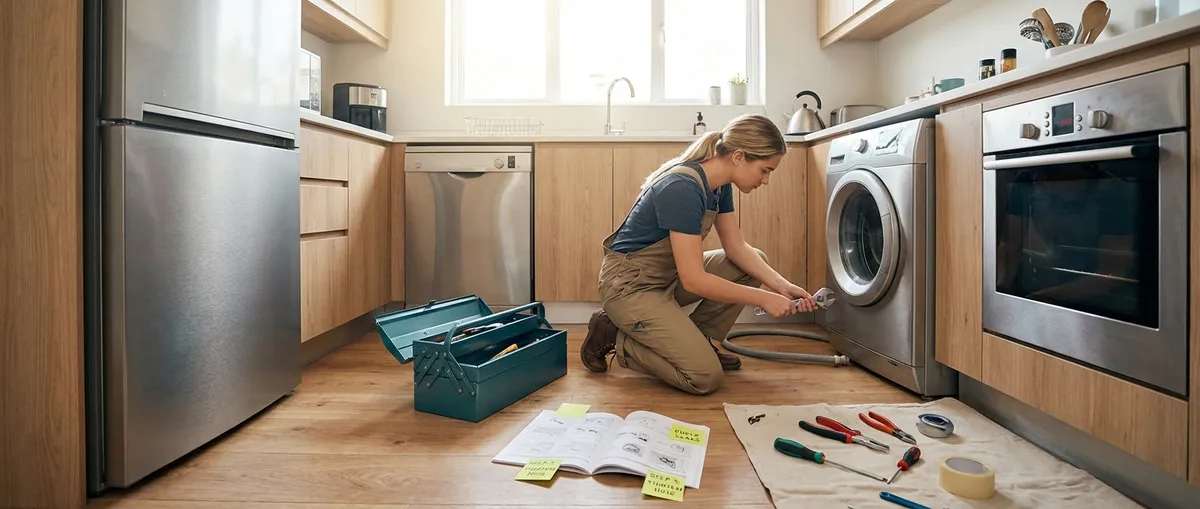
When an appliance starts acting up, it’s tempting to jump straight to “I need a new one.” Often, you don’t. Many everyday problems have simple, safe fixes you can handle with basic tools and a bit of patience. This guide walks you through five practical, step‑by‑step repair tips that DIY enthusiasts can use to save money, avoid unnecessary replacements, and keep your home running smoothly.
Before You Start: Safety and Basic Tools
Before touching any appliance, think safety first. Nearly every repair begins with the same step: disconnect power. For anything water‑related, shut off the water supply too. This protects you from shocks, short circuits, and leaks that can turn a small project into an expensive disaster.
Keep a simple “appliance fix” toolkit handy:
- #2 Phillips screwdriver and flathead screwdriver
- Nut driver set or small socket set (¼"–⅜")
- Adjustable wrench and pliers
- Flashlight or headlamp
- Multimeter (for checking power and continuity)
- Non‑contact voltage tester (for quick safety checks)
Also, keep your phone nearby to take photos as you go. Photograph wiring connections, part positions, and panels before you remove them. Those quick snapshots make reassembly far easier and reduce the chance of mistakes.
Step‑By‑Step Tip #1: Revive a Fridge That’s Not Cooling Well
If your refrigerator feels warm or the freezer isn’t freezing like it used to, it doesn’t always mean the compressor is dying. More often, airflow is blocked or coils are dirty, forcing the fridge to struggle.
Steps to try:
- Unplug the fridge and pull it away from the wall.
Give yourself enough room to work safely behind or under it.
- Clean the condenser coils.
- Find the coils (usually a grille at the back or underneath).
- Use a coil cleaning brush or a long bottle brush to loosen dust and pet hair.
- Vacuum carefully afterward.
Dirty coils make the compressor run hotter and longer, reducing cooling.
- Check that vents inside the fridge and freezer are clear.
- Look for food containers, bags, or ice buildup blocking vents.
- Rearrange items so there’s space around vents for air to circulate.
- Verify the door seals (gaskets).
- Close a thin piece of paper in the door and gently pull.
- If it slides out easily all around the door, the seals may be worn or dirty.
- Clean gaskets with warm soapy water and check for cracks or deformities.
- Reset temperature and give it time.
- Set the fridge to about 37–40°F (3–4°C) and the freezer to 0°F (−18°C).
- Plug it back in and allow 12–24 hours before judging the improvement.
If the fridge still doesn’t cool after these steps, issues with the evaporator fan, defrost system, or sealed system may be involved. At that point, it’s smarter to call a professional or review the cost of repair versus replacement.
Step‑By‑Step Tip #2: Fix a Washing Machine That Won’t Drain
A washer that won’t drain often points to a clog or a blocked pump—not always a dead machine. Clearing the obstruction is one of the most useful DIY fixes you can learn.
Steps to try:
- Unplug the washer and turn off water supply valves.
This protects you from electrical shock and unwanted leaks.
- Access the drain filter or pump area.
- Front‑loaders typically have a small access door on the front bottom.
- Top‑loaders may require removing the back panel or tilting the machine to access the pump underneath.
- Consult your user manual or look up your model number on the manufacturer’s website.
- Prepare for water.
- Place a shallow pan or tray under the filter/pump area.
- Keep towels ready—there is usually some standing water inside.
- Remove and clean the drain filter.
- Unscrew or unclip the filter cap slowly to control water flow.
- Pull out the filter and remove coins, lint, hair, small clothing items, or debris.
- Rinse the filter thoroughly under running water.
- Check the drain hose.
- Detach the hose from the back of the washer (and from the standpipe, if needed).
- Run water through it with a garden hose, or push a flexible brush or cable through it to clear clogs.
- Make sure it’s not kinked when you reinstall it.
Once reassembled, run a short drain/spin cycle with no clothes to confirm the fix. If the pump still hums but doesn’t move water, the pump impeller may be damaged and will need replacement.
Step‑By‑Step Tip #3: Quiet a Noisy Dishwasher and Improve Cleaning
A dishwasher that sounds like gravel in a blender or leaves dishes grimy often has simple, fixable issues: clogged filters, misloaded racks, or spray arms blocked with food particles.
Steps to try:
- Turn off power to the dishwasher.
Either unplug it (if accessible) or switch off the breaker to the circuit.
- Remove and clean the filter system.
- Pull out the bottom rack.
- Locate the filter assembly in the base—usually one coarse screen and one fine mesh filter.
- Unlock and lift out the filters.
- Rinse them under hot water and gently scrub with a soft brush to remove grease and food residue.
- Check spray arms for blockages.
- Remove the lower (and upper, if removable) spray arms.
- Use a toothpick or small brush to clear food particles from each jet hole.
- Rinse under running water to ensure good flow.
- Inspect for items hitting the spray arm.
- Look for long utensils or tall dishes that may be obstructing rotation.
- Reload dishes so nothing hangs below the bottom of the upper rack or sticks up where spray arms rotate.
- Run a cleaning cycle.
- Reassemble everything.
- Place a dishwasher‑safe cup of white vinegar upright on the top rack.
- Run a hot wash (no dishes). This helps break down grease and mineral buildup.
If noise continues, check for hard objects (like broken glass) in the sump area below the filter. Persistent grinding can indicate a worn circulation pump, which is often replaceable but may be more advanced than a basic DIY.
Step‑By‑Step Tip #4: Restore Heat to a Clothes Dryer That Runs Cold
A dryer that tumbles but doesn’t heat usually has one of a few culprits: a tripped thermal fuse, a bad heating element, or restricted airflow from a clogged vent.
Steps to try:
- Unplug the dryer and, if gas, turn off the gas supply.
Never work on a gas appliance without shutting off both power and gas.
- Check the vent and ducting first.
- Disconnect the vent hose from the back.
- Inspect for lint buildup or crushed sections.
- Clean the vent hose with a dryer vent brush and vacuum.
- Check the exterior vent flap—make sure it opens freely when air blows.
- Test the dryer with the vent temporarily disconnected.
- Plug the dryer back in.
- Run a timed dry cycle for a few minutes with no clothes (keeping the hose disconnected but the area ventilated).
- If it now heats, your problem is likely poor venting rather than an internal component.
- Access and check the thermal fuse (electric dryers).
- Unplug again.
- Remove the back panel or lower front panel (depending on design).
- Locate the thermal fuse (a small, usually white component on or near the exhaust duct).
- Use a multimeter set to continuity: with power still disconnected, test across the fuse terminals.
- No continuity usually means it has blown and needs replacing.
- Inspect the heating element (electric dryers).
- While you have the back open, find the heating element housing.
- Look for visible breaks in the coil or burnt spots.
- Test for continuity across the element terminals.
- If open (no continuity), replace the element.
Always fix airflow issues before simply swapping fuses or elements; otherwise, you’ll likely blow the new part again. For gas dryers that don’t heat, igniter or gas valve problems are common—many DIYers can handle these with careful research, but if you smell gas or feel uncertain, bring in a pro.
Step‑By‑Step Tip #5: Rescue an Electric Oven With Uneven or No Heat
When baking turns unreliable—raw in the middle, burned on one side, or not cooking at all—the heating elements or temperature sensing system are good places to start.
Steps to try:
- Turn off power at the breaker.
Electric ovens use high voltage; always shut off the circuit, not just the control panel.
- Check the bake and broil elements.
- Open the oven and visually inspect both elements for blisters, cracks, or burn marks.
- A visibly broken element must be replaced.
- Test element continuity.
- Remove the rear access panel behind the oven (or the inner back panel inside the oven, depending on model).
- Disconnect the wires to the suspect element terminals.
- Use a multimeter to check for continuity across the element.
- No continuity means the element is bad.
- Inspect the temperature sensor (if present).
- Inside the oven, look for a thin metal rod (usually back wall, upper area).
- Ensure it’s clean and not bent or broken.
- From the rear, find its connector. With power still off, disconnect and test with a multimeter for resistance.
- Typical resistance is around 1000–1100 ohms at room temperature (check your manual or manufacturer’s specs).
- Reset and calibrate temperature (if your control allows).
- After replacing any faulty element or sensor, turn power back on.
- Many ovens let you adjust calibration by ±30–35°F through the control panel settings.
- Use an oven thermometer to compare actual and set temperatures, then adjust as needed.
If elements and sensor test fine but the oven still doesn’t heat correctly, control board or relay issues may be involved. These can be DIY‑replaceable on many models, but the parts are pricier, so compare costs against the oven’s age and value.
Conclusion
Most everyday appliance problems start small—and many can be safely handled at home with basic tools and a methodical approach. By cleaning coils and filters, clearing clogs, checking vents, and testing simple components like fuses and elements, you can often restore full function without a service call. Work safely, take photos as you go, and use your model number to find exact part diagrams and instructions. When something feels beyond your comfort level—especially with gas, complex electronics, or sealed systems—stop and call in a professional. Smart DIY repair is about knowing what you can fix confidently and when to get backup.
Sources
- [U.S. Department of Energy – Appliances and Equipment](https://www.energy.gov/energysaver/appliances-and-electronics) – Guidance on how appliances work and efficiency considerations that relate to maintenance and performance
- [Consumer Product Safety Commission – Home Electrical Safety](https://www.cpsc.gov/safety-education/safety-guides/electrical) – Essential safety practices for working around household electrical equipment and appliances
- [Whirlpool Product Help & Troubleshooting](https://producthelp.whirlpool.com/) – Official troubleshooting steps and diagrams for common household appliances across many models
- [GE Appliances Support](https://www.geappliances.com/ge-appliances-support/) – Manufacturer repair and troubleshooting resources, including common fault causes and part information
- [Family Handyman – Appliance Repair](https://www.familyhandyman.com/project-category/appliance-repair/) – Practical how‑to articles and visual guides for DIY appliance repair projects
Key Takeaway
The most important thing to remember from this article is that this information can change how you think about Appliances.



