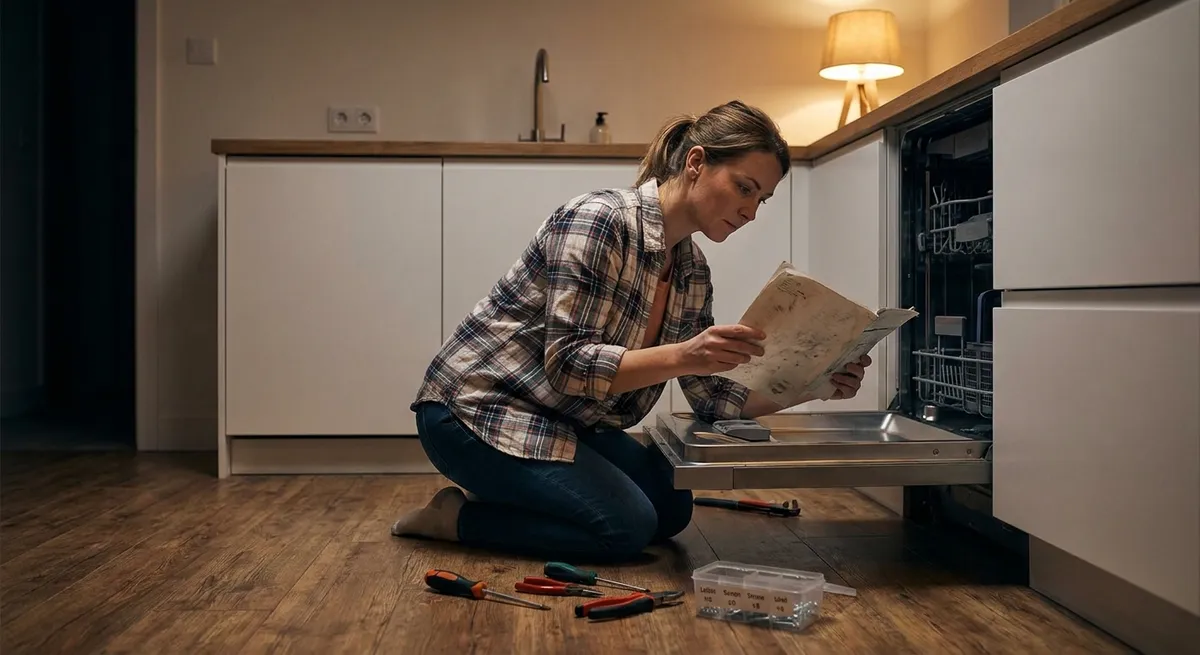
When a major appliance suddenly stops working, it often feels like an emergency. But many “dead” appliances are just one simple problem away from running again. Instead of immediately calling a repair service or shopping for a replacement, you can often troubleshoot the issue yourself with a few basic tools and a calm, methodical approach. This guide walks you through five practical, step‑by‑step repair tips that DIY enthusiasts can use to safely revive common household appliances.
Start With Power: The Universal First Check
Before opening any panels or ordering parts, always confirm the appliance is actually getting power. A surprising number of “broken” appliances are suffering from very basic electrical issues you can fix in minutes.
- Verify the outlet is live.
Unplug the appliance and plug in something simple (like a lamp or phone charger). If that doesn’t work either, you’re likely dealing with a tripped breaker, GFCI, or a bad outlet.
- Reset breakers and GFCI outlets.
Go to your electrical panel and look for a breaker that’s not fully in the ON position. Flip it firmly off, then back on. If the appliance is in a kitchen, bathroom, garage, basement, or laundry room, check for GFCI outlets (with “Test” and “Reset” buttons) on that circuit and press RESET.
- Inspect the power cord.
With the appliance unplugged, look for cuts, crushed sections, melted spots, or loose plugs. If you see exposed copper or burn marks, stop using the appliance until the cord is professionally replaced or you follow a vetted repair guide.
- Check internal fuses (if accessible).
Some microwaves, dryers, and ovens have internal fuses or thermal fuses that blow during a fault. Consult the owner’s manual to see if a user‑serviceable fuse exists. Always unplug the appliance before opening any panel.
- Test the outlet with a cheap tester.
A simple outlet tester or multimeter can help confirm proper voltage and wiring. If the reading is off or you’re unsure, call an electrician—don’t guess with household wiring.
By starting with power checks, you often solve the problem in under 10 minutes, or at least rule out simple electrical issues before diving deeper.
Stop Leaks at the Source: Washer and Dishwasher Basics
Water leaks from washers and dishwashers look serious, but they’re often caused by loose connections, clogs, or simple maintenance issues. Approaching the problem step-by-step can prevent damage and save a costly service call.
- Identify where the water appears.
Check if water is pooling at the front, back, or underneath. Front leaks often point to door gaskets, while rear leaks suggest hose or valve problems.
- Inspect hoses and connections.
Unplug the appliance and turn off the water supply. Look at inlet hoses for cracks, bulges, or loose fittings. Tighten connections by hand, then with a wrench only a quarter-turn more. Replace any hoses that show aging or wear—especially rubber hoses older than 5 years.
- Clean filters and drains.
- Washer: Many front‑load washers have a small access panel near the bottom for a drain pump filter. Place a shallow pan under it, open the cap slowly, and remove lint, coins, or debris.
- Dishwasher: Remove the bottom rack, twist out the filter assembly, and clean trapped food and sludge under running water.
- Check door gaskets and seals.
Inspect the rubber seal around the washer or dishwasher door for tears, mold buildup, or folded areas. Clean with mild soap and water, then dry. If the gasket is cracked or hardened, replacing it is usually a straightforward DIY job following your model’s instructions.
- Level the appliance.
Use a level on top of your washer or dishwasher. Adjust the feet so the appliance is square and stable. An unlevel unit can cause over‑splashing, poor draining, and stress on seals.
Once you’ve checked hoses, filters, seals, and leveling, run a short cycle while watching carefully. Catching drips early helps you fine-tune your repair instead of guessing.
Restore Cooling: When Your Fridge Isn’t Cold Enough
A warm refrigerator doesn’t always mean a dead compressor. Airflow problems, dirty coils, or incorrect settings are often to blame and can be fixed with basic tools and a vacuum.
- Confirm temperature settings.
Make sure the fridge and freezer controls haven’t been accidentally adjusted. Most fridges should be set around 37–40°F (3–4°C), and freezers at 0°F (-18°C). Give it 24 hours after any adjustment to stabilize.
- Check door seals with the paper test.
Close the door on a sheet of paper or thin card. Gently pull—if it slides out without resistance or falls out, the gasket isn’t sealing well. Inspect for gaps, torn sections, or hardened rubber. Clean seals with warm soapy water; replace if damaged.
- Clear airflow inside.
Keep vents inside the fridge and freezer clear—don’t pack food directly against the back wall or top vents. Cold air needs room to circulate. Rearrange items to allow space around vents and shelves.
- Clean the condenser coils.
Unplug the fridge. Locate the coils—either behind a rear panel or under the front kick plate. Use a vacuum with a brush attachment to remove dust, lint, and pet hair. Dirty coils make the compressor work harder and can cause poor cooling.
- Check for frost buildup in the freezer.
Heavy frost on the back wall or ceiling may indicate a defrost problem or a door that’s not closing properly. Start by fully defrosting: turn off the unit, prop doors open, and allow ice to melt (towels ready). After restarting, monitor whether frost quickly returns. If it does, you may need to investigate defrost heaters, thermostats, or fans—components many advanced DIYers can test with a multimeter.
If your fridge is still warm after these steps and the compressor never turns on, or you hear loud clicking or buzzing, that’s often the point to consult a professional, especially on newer, sealed systems.
Quiet the Noise: Taming Rattling and Vibrating Appliances
Unusual noises—rattling, banging, or excessive vibration—are among the most common complaints with washers, dryers, and dishwashers. Fortunately, many are caused by loose items, worn pads, or leveling issues that are easy to correct.
- Identify when the noise happens.
Note whether it occurs during spin, drain, start‑up, or drying. Time-based clues point toward specific components (e.g., washer spin cycle = drum balancing problems; dryer start‑up = motor or belt).
- Check for foreign objects.
- Washer: Examine the drum for coins, bra wires, or small items stuck in the holes or between the drum and door gasket.
- Dryer: Inspect the drum and lint trap area for buttons, zippers, or hard objects dropped through the opening.
- Dishwasher: Look in the bottom well for bones, glass, or utensil fragments hitting the spray arms or pump.
- Level and stabilize.
Use a level on top of the appliance. Adjust feet until it sits solidly with no rocking. For washers, especially front‑load models, this is critical. Consider adding anti‑vibration pads under the feet if your floor is uneven or flexible.
- Inspect moving parts you can access.
- Washer: Spin the drum by hand (unplugged) and listen for grinding or scraping.
- Dryer: Manually rotate the drum—roughness, squeaks, or resistance can point to worn rollers or a failing belt.
- Dishwasher: Spin the spray arms; if they hit racks or dishes, adjust loading or racks.
- Tighten panels and hardware.
Vibration can loosen screws on access panels or mounting brackets over time. With the appliance unplugged, gently tighten visible screws on side or rear panels, making sure not to overtighten plastic parts.
If the noise persists and you suspect a motor, bearing, or internal belt problem, look up a model-specific repair guide or video. Many of these repairs are doable for patient DIYers with basic tools, but they require more disassembly and careful reassembly.
Improve Performance: Simple Maintenance That Feels Like a Repair
Sometimes an appliance “works” but poorly—clothes take forever to dry, dishes come out cloudy, or ovens cook unevenly. Treating performance issues as mini repairs and doing regular maintenance can dramatically extend appliance life.
- Dryer: Restore airflow for faster drying.
- Clean the lint filter after every load.
- At least a few times a year, disconnect the vent duct (unplug first), vacuum lint from the duct and wall connection, and check outside where the vent exits. A clogged vent not only slows drying but is a major fire hazard.
- Make sure the exterior vent flap opens fully when the dryer runs.
- Dishwasher: Boost cleaning power.
- Clean the filter and spray arms—poke food debris from spray arm holes with a toothpick.
- Run a hot cycle with a dishwasher cleaner or a cup of white vinegar on the top rack (no dishes) to remove mineral and grease buildup.
- Use rinse aid if you have hard water to reduce spots and film.
- Oven: Fix uneven baking with simple checks.
- Verify the rack is level and centered.
- Use an inexpensive oven thermometer to compare the actual internal temperature to the set temperature. If there’s a big difference, many ovens allow you to recalibrate temperature in the control settings based on the manual.
- Clean baked‑on spills that can smoke and affect heating.
- Refrigerator: Keep it breathing.
- Don’t overcrowd shelves—especially around cold air vents.
- Periodically toss expired items and wipe up spills so vents and sensors stay clean.
- Keep the fridge reasonably full; cold food helps maintain temperature, but avoid packing items too tightly.
- Washer: Prevent odor and residue.
- Run a monthly cleaning cycle with a washer cleaner or hot water and a manufacturer‑approved product.
- Leave the door slightly open after use, especially on front‑loaders, to let moisture escape and prevent mold.
- Wipe the rubber door gasket regularly to remove residue and trapped lint.
By treating these “tune-ups” as part of your repair toolkit, many appliances will feel like they’ve had a full service visit—without the invoice.
Conclusion
Most appliance failures start small: a loose hose, a dirty filter, a clogged vent, or a misaligned door seal. Approaching each problem patiently—starting with basic power checks, then moving on to leaks, cooling issues, noise, and performance—lets you handle many common issues yourself. When you stay within your comfort zone, follow safety steps, and know when to stop and call a professional (especially for sealed refrigeration systems or gas work), DIY repairs can save money, reduce downtime, and give you a lot more confidence around the machines you rely on every day.
Sources
- U.S. Consumer Product Safety Commission – Home Electrical Safety Checklist - Guidance on safe practices when working with household electrical systems and appliances
- U.S. Fire Administration – Clothes Dryer Fire Safety - Details on dryer vent cleaning and lint buildup as a fire hazard
- Energy.gov – Refrigerator and Freezer Buying and Maintenance Guide - Official tips on fridge temperature settings, coil cleaning, and efficiency
- Mayo Clinic – Mold and Dampness in Homes - Explains why keeping washers and gaskets dry helps prevent mold growth
- Consumer Reports – Appliance Maintenance That Extends the Life of Your Products - Practical overview of routine upkeep to keep major appliances performing well
Key Takeaway
The most important thing to remember from this article is that this information can change how you think about Appliances.



