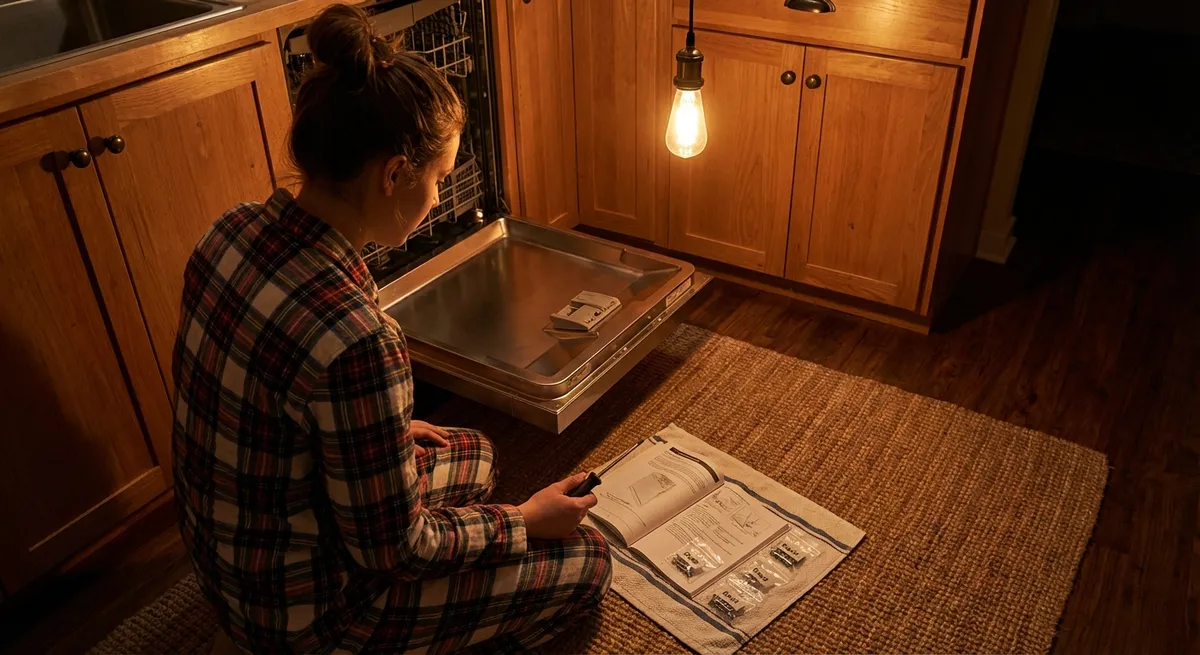
If you live with a rattling washer, a humming fridge, or a screechy dryer, you know how fast a small appliance issue can turn into daily annoyance. The good news: many of these problems are simple to track down and fix with basic tools and a calm, methodical approach.
This guide walks through five practical, step‑by‑step repairs you can tackle at home. Each one is chosen because it’s common, realistic for DIYers, and can save you the cost (and wait time) of a service call.
Safety First: Before You Touch Any Appliance
Before getting into specific repairs, there are a few universal rules that apply to almost every appliance you’ll work on:
- Disconnect power first.
Always unplug the appliance or switch off the circuit breaker. For gas appliances, also shut off the gas supply if you’ll be working near gas lines or burners.
- Close water supply where applicable.
For dishwashers and washing machines, turn off the water valves (usually behind or beside the appliance) before moving or disconnecting hoses.
- Use proper lighting and workspace.
Clear the area around the appliance, have a flashlight handy, and keep small parts in a tray or cup so they don’t disappear.
- Take pictures as you go.
Before disconnecting hoses, wires, or panels, snap photos on your phone. You’ll thank yourself when it’s time to reassemble.
- Know when to stop.
Burnt wiring, strong burning smells, gas odor, or signs of water inside electrical parts are red flags. In those cases, bring in a licensed professional.
With these basics in place, you’re ready to tackle practical, real‑world fixes.
Tip 1: Stop a Wobbly, Walking Washing Machine
A washer that “walks” across the floor or pounds during spin isn’t just annoying—it can damage flooring and shorten the machine’s life. Most of the time, the fix is about leveling and balancing.
Tools you’ll need
- Bubble level (or a level app on your phone)
- Adjustable wrench or pliers
- Old towels or cardboard (to protect the floor)
Step‑by‑step
- Unplug and access the feet.
Pull the washer out a few inches if needed. Unplug it. Find the adjustable feet at each corner—usually threaded metal posts with rubber ends.
- Check for obvious rocking.
Gently push on the top corners of the machine. If it rocks in any direction, one or more feet aren’t supporting evenly.
- Adjust the front feet.
Most washers allow you to twist the feet to raise or lower them. Spin each front foot with your hand or wrench:
- Turn clockwise to shorten (lower that corner).
- Turn counterclockwise to lengthen (raise that corner).
Keep adjusting until the machine no longer rocks.
- Level side‑to‑side and front‑to‑back.
Put the level across the top of the washer from left to right, then front to back. Adjust the feet until the bubble is centered in both directions.
- Lock the feet (if applicable).
Many washers have lock nuts above the rubber feet. Once level, hold the foot in place with pliers and tighten the lock nut against the washer base so it doesn’t drift over time.
- Balance the load habits.
Restart the washer and run a spin cycle with some towels. If the machine still thumps, you may be overloading or washing mixed heavy/light items (like one heavy rug with light shirts). Evenly distribute weight in the drum, especially for top‑loaders.
If you still have violent shaking after leveling and better loading, internal components like suspension rods or shock absorbers may be worn, which is a more advanced (but still DIY‑possible) repair.
Tip 2: Clear a Slow or Smelly Dishwasher (Without Replacing It)
A dishwasher that doesn’t clean like it used to—or smells musty—often has clogged filters or spray arms, not a dead motor. Cleaning these parts can restore performance and extend the machine’s life.
Tools and supplies
- Soft brush or old toothbrush
- Mild dish soap
- White vinegar
- Toothpick or small wire
- Microfiber cloth
Step‑by‑step
- Power off and empty.
Turn off power at the breaker or unplug if accessible. Remove all dishes and racks so you can see the bottom of the tub.
- Remove and clean the filter.
At the bottom, you’ll usually find a cylindrical or flat filter assembly. Twist and lift it out per your manual.
- Rinse under warm water.
- Scrub gently with dish soap and a toothbrush.
- Remove any food sludge or paper labels that may be stuck.
- Inspect the sump area.
Under the filter is the sump (water intake) area. Use a cloth or paper towel to remove debris like glass bits, fruit pits, or food clumps. Never use your bare hand if you suspect broken glass—use a folded cloth.
- Clean the spray arms.
The spray arms (one or more under the racks, sometimes one on the top) can usually be snapped or unscrewed off.
- Rinse under running water.
- Use a toothpick or thin wire to clear clogged holes. Don’t enlarge the holes; just remove buildup.
- Reinstall firmly so they can spin freely.
- Run a hot cleaning cycle.
Replace the filter and racks. Place a dishwasher‑safe cup of white vinegar upright on the top rack. Run a hot or “clean” cycle with no dishes to break down residues and odors.
- Prevent future clogs.
Scrape heavy food into the trash (no need to fully rinse), avoid putting in paper labels, and clean the filter every 1–3 months depending on use.
If performance is still poor after a thorough clean, you may be dealing with a failing circulation pump or heating element, which usually warrants checking manufacturer troubleshooting guides or a professional diagnosis.
Tip 3: Quiet a Buzzing Refrigerator and Improve Cooling
Buzzing, rattling, or reduced cooling doesn’t always mean a failing fridge. Dust buildup and poor airflow are common, fixable problems.
Tools and supplies
- Vacuum with brush attachment
- Soft brush or small paintbrush
- Coil cleaning brush (optional)
- Mild detergent and cloth
Step‑by‑step
- Unplug and pull it out carefully.
Slide the refrigerator out from the wall enough to access the back or underneath. Protect floors with cardboard or a mat if needed.
- Locate the condenser coils.
Depending on the model, coils may be:
- On the back (a grid of tubing), or
- Underneath, behind a front or rear kick plate.
Remove any access panel or toe kick.
- Vacuum the dust buildup.
Use the vacuum brush to gently remove dust and pet hair from coils, the compressor area, and any nearby surfaces. A coil cleaning brush helps reach tight areas.
- Clean the fan area.
If there’s a condenser fan, check that it spins freely. Remove any debris, then gently brush and vacuum around it. Do not bend fan blades.
- Check for vibration points.
If you heard rattling or buzzing, lightly press on panels, water lines, or the drip pan while the fridge is running (plug it back in briefly for this test):
- If the noise stops when you touch something, that piece is vibrating.
- Use foam padding or reposition the part so it doesn’t rattle against other surfaces. Unplug again before making adjustments.
- Level the fridge.
Like the washer, a fridge needs to sit evenly. Most manufacturers recommend the front slightly higher than the back so doors close properly. Adjust front leveling feet as directed in the manual.
- Check door seals.
Close a sheet of paper in the door and gently pull. You should feel resistance all around the gasket. Clean seals with mild detergent and warm water; replace if they’re cracked or no longer sealing.
Better airflow and solid leveling often cut down on noise and help the compressor run less frequently, saving energy and extending the appliance’s life.
Tip 4: Restore Heat to a Clothes Dryer That Spins but Doesn’t Dry
If your dryer drum turns but clothes stay damp, the most common culprit is restricted airflow—usually a lint issue—not necessarily a bad heating element.
Tools and supplies
- Vacuum with hose attachment
- Long dryer vent brush or flexible cleaning kit
- Screwdriver (for vent clamp or back panel)
- Flashlight
Step‑by‑step
- Unplug and pull the dryer away from the wall.
Make enough room to reach the vent connection at the back. For gas dryers, also shut off the gas valve if you’ll disturb the gas line.
- Disconnect the vent hose.
Loosen the clamp (screw or spring clamp) and gently pull the vent hose off the dryer outlet. Inspect the inside: if you see heavy lint buildup, you’ve likely found the problem.
- Clean the lint trap housing.
Remove the lint screen and vacuum deep into the slot where the screen goes. Lint often gets past the screen and collects in corners.
- Clean the vent hose and wall duct.
Use a vent brush or cleaning kit:
- Run the brush through the hose, twisting to dislodge lint, then vacuum out the loosened debris.
- Do the same from the wall duct opening as far as you can reach. If your vent run is long or exits the roof, consider a professional cleaning every few years.
- Inspect the exterior vent hood.
Go outside and find where the dryer vents. Make sure the flap moves freely and isn’t blocked by lint, nests, or debris. Clean and free it up as needed.
- Reassemble and test.
Reconnect the vent hose securely, plug the dryer back in, and run it on a heated cycle with no clothes. Go outside and confirm strong airflow at the vent.
If the dryer still doesn’t heat, check your settings (you may be on an “air fluff” or “no heat” cycle). Persistent no‑heat issues suggest a failed heating element, thermal fuse, or thermostat—still DIY‑able but more advanced and specific to your model.
Tip 5: Fix an Electric Oven That Bakes Unevenly
Burned edges and raw centers can come from more than just recipe issues. Worn or partially failed oven elements, or poor calibration, can cause serious temperature swings.
Tools and supplies
- Oven thermometer (cheap but essential)
- Screwdriver (usually Phillips)
- Flashlight
Step‑by‑step
- Verify the temperature accuracy.
Place an oven thermometer in the center of the middle rack. Preheat the oven to 350°F (about 175°C) and let it sit for at least 20 minutes after it says it’s preheated.
- Compare the thermometer to the set temperature.
- Check again after another 10–15 minutes to see if it fluctuates wildly.
- Inspect heating elements.
- They should be intact, without blisters, breaks, or bright white spots.
- Any obvious damage means the element should be replaced.
- Test from a visual bake.
- The bottom element should glow red when heating.
- The top may cycle on and off.
Unplug the oven or switch off the breaker. Open the door and look at the bake (bottom) and broil (top) elements:
Restore power. Turn on the oven to a moderate temperature with both bake and broil functions if possible. Through the door window:
If only one ever glows or one is clearly much dimmer, that element may be failing. Turn power off again before touching anything.
- Tighten loose elements (if accessible).
With power off, remove the screws holding the element to the back wall. Gently pull it forward a bit (without yanking wires). Make sure connections feel snug. If a spade connector has slipped off, reattach firmly and reinstall the element and screws.
- Calibrate the oven (if needed).
If your oven consistently runs, say, 25°F low or high according to the thermometer, many models let you adjust:
- On digital controls: look for a “calibration” or “offset” setting in the user manual. You can usually adjust ±30°F.
- On some knob models: there may be an adjustment ring on the back of the temperature knob.
- Use proper rack positions and preheat habits.
- Food is placed too close to the top or bottom heating element.
- You skip preheating or open the door often.
Even a perfectly working oven can bake unevenly if:
For most baking, use the middle rack and allow a full preheat plus a few extra minutes.
If you notice tripping breakers, a strong burning smell, or visible sparking from elements, stop and call a professional. Those symptoms point to wiring or control board issues beyond basic DIY.
Conclusion
Most everyday appliance problems don’t start with catastrophic failures—they begin as odd noises, weak performance, or subtle changes you can see and hear. Approaching these issues methodically—power off, inspect, clean, level, and test—often solves them long before you’d need a major repair or replacement.
These five step‑by‑step fixes are a solid foundation for DIY appliance maintenance. Combine them with regular cleaning and simple habit changes (balanced loads, clear vents, clean filters), and your appliances will run quieter, safer, and longer—without constant service calls.
Sources
- [U.S. Department of Energy – Appliances & Equipment](https://www.energy.gov/appliance-and-equipment-standards-program) – Background on how maintenance and efficiency affect appliance performance and energy use
- [Consumer Product Safety Commission – Safety Guides](https://www.cpsc.gov/Safety-Education/Safety-Guides) – General safety practices for working with household electrical products and appliances
- [Energy Star – Refrigerator Maintenance Tips](https://www.energystar.gov/products/appliances/refrigerators/maintenance) – Official guidance on cleaning coils, seals, and maintaining refrigerators for best performance
- [Mayo Clinic – Clothes Dryer Fire Safety Tips](https://www.mayoclinic.org/healthy-lifestyle/home-and-garden/in-depth/clothes-dryer/art-20047499) – Explains why dryer vent cleaning is essential for safety and how lint buildup can become a hazard
- [University of California, Berkeley – Home Appliance Energy Use](https://vcresearch.berkeley.edu/news/myth-vs-fact-about-energy-efficient-home-appliances) – Research-based discussion of how appliance condition and upkeep impact energy efficiency
Key Takeaway
The most important thing to remember from this article is that this information can change how you think about Appliances.



