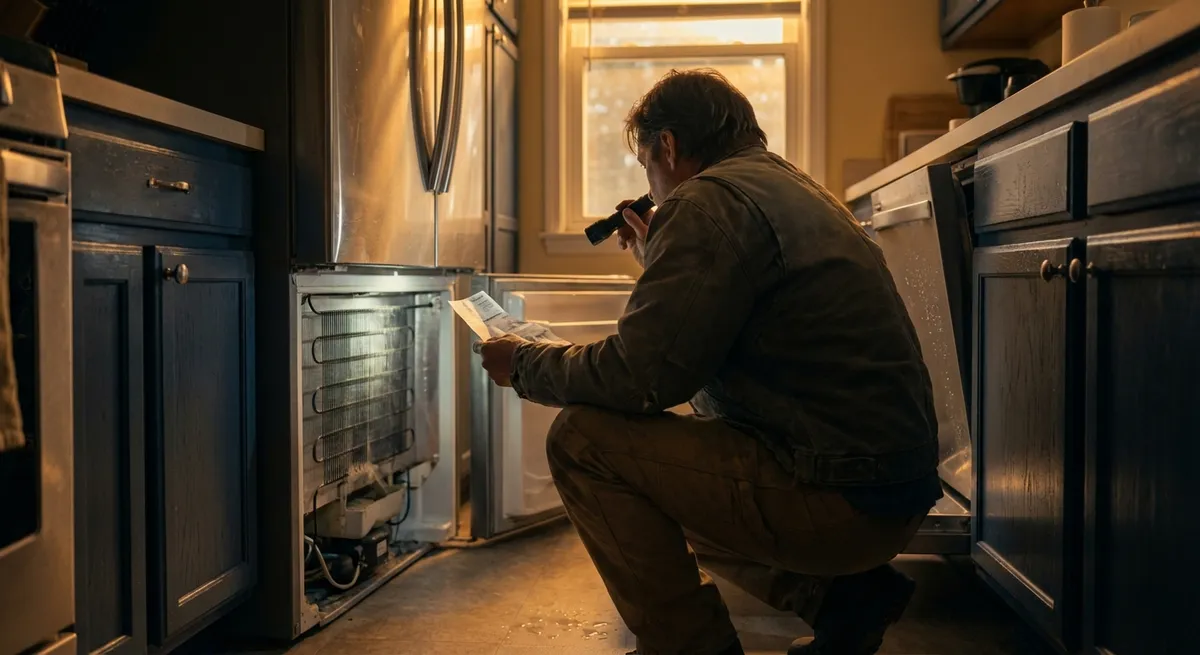
Most appliances don’t fail overnight—they slowly lose efficiency, get noisier, or stop working “quite right.” Those quiet problems are the ones that quietly drain your wallet on energy, parts, and eventually full replacements. The good news: many of them are fixable at home with basic tools, some patience, and a sensible approach to safety.
Below are five step‑by‑step repair tips focused on common, fixable issues that DIY‑minded homeowners can tackle before calling a pro.
Stop a “Warm” Fridge: Restoring Cooling Performance Safely
A refrigerator that feels a little warmer than normal is often heading toward a full breakdown. By tackling airflow and component checks early, you can often restore cooling without touching sealed system parts.
Tools & materials
- Phillips and flathead screwdrivers
- Vacuum with brush attachment
- Soft brush or coil‑cleaning brush
- Flashlight
- Work gloves
Step‑by‑step
Verify the basics first
- Make sure the fridge has at least a few inches of clearance behind and above for airflow. - Check that the doors close fully and that nothing (like containers) is blocking them from sealing.
Clean the condenser coils
- Unplug the refrigerator. - Locate the coils (usually behind a lower front grille or on the back). - Use the vacuum and brush to remove dust and pet hair thoroughly. - This can significantly improve cooling and reduce compressor run time.
Inspect the door gaskets for leaks
- Close a thin sheet of paper or a dollar bill in the door and gently tug. - If it slides out easily all around the door, the gasket may be worn or deformed. - Clean the gasket with warm soapy water, dry it, and warm stiff areas with a hair dryer on low to soften and reshape.
Check for interior airflow obstructions
- Make sure vents inside both the fridge and freezer sections are not blocked by food containers or bags. - Avoid packing items flush against the back wall; leave some space for air circulation.
Listen for the evaporator fan
- With the fridge running, open the freezer door and listen for a small fan sound. - If it’s silent while the compressor is running, the evaporator fan may be faulty. - Remove the rear interior panel in the freezer (with the unit unplugged) to visually inspect the fan for ice buildup or obstructions. Melting light frost with a hair dryer (carefully, on low) can restore operation; a non‑spinning fan with clear blades may need replacement.
If, after these steps, the refrigerator is still not cooling properly, the issue may be with sealed system components (compressor, refrigerant leak), which generally require a professional.
Fix a Washer That Won’t Drain Without Flooding the Laundry Room
A washer that finishes a cycle with a tub full of water often has a simple cause: a clogged filter, hose, or pump. Addressing drainage problems early prevents overflows and pump damage.
Tools & materials
- Bucket or shallow pan
- Old towels
- Pliers
- Screwdriver
- Flashlight
Step‑by‑step
Unplug the washer and turn off water supply
- Safety first—disconnect power. - Close the hot and cold water valves to avoid accidental leaks while moving or tilting the machine.
Locate and clean the drain filter (front‑loaders)
- Many front‑load washers have a small access door at the bottom front panel. - Place a pan and towels in front, open the door, and slowly unscrew the filter cap. - Let water drain into the pan, then fully remove the filter. - Clear lint, coins, hairpins, and debris. Rinse the filter under running water and reinstall.
Check the drain hose for kinks or clogs
- Inspect the hose behind the washer. Straighten any kinks or flattened sections. - Remove the hose from the standpipe or sink and check for blockages. - If needed, run water through the hose outside to ensure it flows freely.
Inspect the drain pump area
- For top‑load washers or models without an external filter, access the pump from the back or bottom panel (unplugged). - Look for visible debris around the pump inlet. - Manually spin the pump impeller (plastic blades) gently to ensure it isn’t jammed.
Run a short drain/spin test cycle
- Reconnect everything and plug the washer back in. - Select a drain/spin or quick cycle with no clothes. - Watch the drain hose outlet to confirm strong, steady water flow. Intermittent or weak flow after cleaning may point to a failing pump motor.
Persistent drainage issues after these steps, especially if accompanied by grinding sounds from the pump, usually justify a pump replacement or professional diagnosis.
Revive a Dishwasher That Leaves Grit on Dishes
When dishes come out gritty, cloudy, or still soapy, the issue is usually poor water flow, blocked spray arms, or a dirty filter—not necessarily a bad pump. Cleaning and checking these parts can restore wash power.
Tools & materials
- Soft brush (old toothbrush)
- Toothpicks or small plastic picks
- White vinegar
- Microfiber cloth
Step‑by‑step
Clean the filter assembly
- Remove the bottom rack and locate the filter (usually in the tub floor). - Twist and lift out the mesh filter and any secondary coarse filter. - Rinse under warm water and scrub with a soft brush to remove food particles and grease.
Clear spray arm holes
- Remove the lower and upper spray arms if your model allows (usually twist‑off). - Hold them under running water and use toothpicks or plastic picks to clear clogged nozzles. - Avoid using metal objects that might enlarge the holes.
Check for hard water buildup
- White chalky deposits on spray arms, interior surfaces, or the heating element indicate mineral buildup. - Run an empty cycle with a cup of white vinegar placed upright on the top rack to help dissolve light scale.
Verify water temperature and detergent use
- Dishwashers typically perform best with incoming water around 120°F (about 49°C). - Run the kitchen tap hot for a minute before starting the dishwasher so it begins with hot water. - Make sure you’re not over‑ or under‑dosing detergent; follow your detergent manufacturer’s recommendations.
Inspect the float and inlet area
- Inside the dishwasher tub floor, find the float (usually a small dome or tower). - Move it up and down to ensure it isn’t stuck; a stuck float can limit water fill. - Check the area around the inlet (often at the side or back of the tub) for debris that might be blocking water entry.
If the dishwasher still underperforms after these steps—and you don’t hear strong spray action during the wash—the circulation pump or inlet valve may be failing and worth a pro evaluation.
Quiet a Noisy Dryer Before It Eats a Belt or Drum Roller
New noises from a dryer—squeaks, scrapes, or thumps—are early warning signs. Addressing them early can prevent more serious (and expensive) failures.
Tools & materials
- Phillips and flathead screwdrivers
- Nut driver or socket set (depending on model)
- Vacuum with hose attachment
- Work gloves
Step‑by‑step
Identify the type and location of noise
- Run the dryer empty for a minute. - Note whether the noise is a high‑pitched squeak (often rollers or idler pulley), a low thump (flat spot on a roller), or metallic scraping (something caught or a worn glide).
Unplug the dryer and access the interior
- Disconnect power (for gas dryers, also shut off the gas supply). - Most dryers open from the front or top. Remove the lint screen and any visible screws, then carefully lift or remove the panel according to your model.
Check for loose objects and lint buildup
- Look around the drum edges and blower housing for coins, screws, or small objects. - Vacuum out lint from inside the cabinet, especially near the motor and belt path. Excess lint can cause overheating and bearing wear.
Inspect drum support rollers and idler pulley
- Rotate the drum by hand. Listen for grinding or rough spots. - Spin each roller and the idler pulley with your fingers. They should spin smoothly without wobbling or noise. - Any roller or pulley that feels rough, seized, or wobbly should be replaced as a set if possible, to keep wear even.
Examine the belt and drum glides
- Look for belt cracks, frayed edges, or glazing (shiny, hardened surfaces). Replace if worn. - On front‑support models, inspect the drum glides (small strips the drum rides on). If they’re worn through to backing material or missing, replace to stop scraping noises.
If you’re not comfortable removing the drum or you suspect a motor bearing issue, this is a good point to consider a professional. But catching and replacing rollers, belts, or glides early usually costs far less than running the machine until a major failure.
Restore Oven Accuracy When Your Bakes Keep Failing
If recipes you’ve used for years start burning or underbaking, the oven might not be holding the temperature you think it is. Before assuming the control board is bad, confirm the real temperature and rule out simpler problems.
Tools & materials
- Oven‑safe thermometer
- Soft cloth or sponge
- Mild dish soap
- User manual (or manufacturer’s online manual)
Step‑by‑step
Verify the actual oven temperature
- Place an oven‑safe thermometer in the center of the middle rack. - Set the oven to 350°F (about 177°C) and let it preheat for at least 20–30 minutes. - Compare the thermometer reading to the set temperature. Repeat once or twice to confirm consistency.
Check for obvious door seal issues
- Inspect the gasket around the door for cracks, tears, or flattened sections. - Close the door on a thin sheet of paper at several spots; if the paper pulls out easily, the seal may be compromised. - Clean the gasket with mild soapy water and a soft cloth, then dry thoroughly.
Clean temperature sensors and interior surfaces
- With the oven cool and unplugged (or breaker off), gently clean the temperature sensor (small metal rod usually on the back wall) with a damp cloth. Heavy baked‑on grease can affect readings. - Wipe down interior surfaces to remove heavy residue that can create hot spots.
Use built‑in calibration (on many digital models)
- Check your manual for “offset” or calibration settings. Many ovens let you adjust the displayed temperature by ±30°F or so. - If your oven runs consistently 20°F low, for example, you can often adjust the offset accordingly. - Re‑test with the thermometer to confirm the correction.
For gas ovens, verify consistent burner flame
- When the oven is on, observe the burner flame through the broiler drawer or oven bottom panel opening (if safely accessible). - The flame should be mostly blue and even. Yellow, lazy, or uneven flames can indicate a combustion or gas pressure issue that should be checked by a qualified technician.
If your oven shows wild swings in temperature or refuses to heat consistently even after cleaning and calibration, the thermostat, temperature sensor, or control board may be failing and worth professional testing.
Conclusion
Many “small” appliance problems—slightly warm fridges, gritty dishes, odd dryer noises, sluggish washers, and unreliable ovens—are early warning signals, not random annoyances. By tackling them with methodical, safety‑minded steps, you extend the life of your machines, cut energy waste, and delay expensive replacements.
If you’re ever unsure, stop, unplug the appliance, and check your model‑specific manual or the manufacturer’s website. Starting with the low‑risk, accessible checks outlined above will often solve the issue—or at least give you enough information to talk to a repair pro on your own terms.
Sources
- U.S. Department of Energy – Appliances and Equipment - Covers how appliance maintenance and efficiency affect energy use and operating costs
- Consumer Product Safety Commission – Safety Guides - Authoritative safety information for working around household appliances and electricity
- Whirlpool Home Appliance Maintenance Tips - Manufacturer guidance on cleaning and maintaining common kitchen appliances
- GE Appliances Support – Product Help & Troubleshooting - Model‑specific troubleshooting, manuals, and maintenance advice for major appliances
- Mayo Clinic – Home Electrical Safety Basics - General home safety practices that apply when performing DIY appliance repairs
Key Takeaway
The most important thing to remember from this article is that following these steps can lead to great results.



