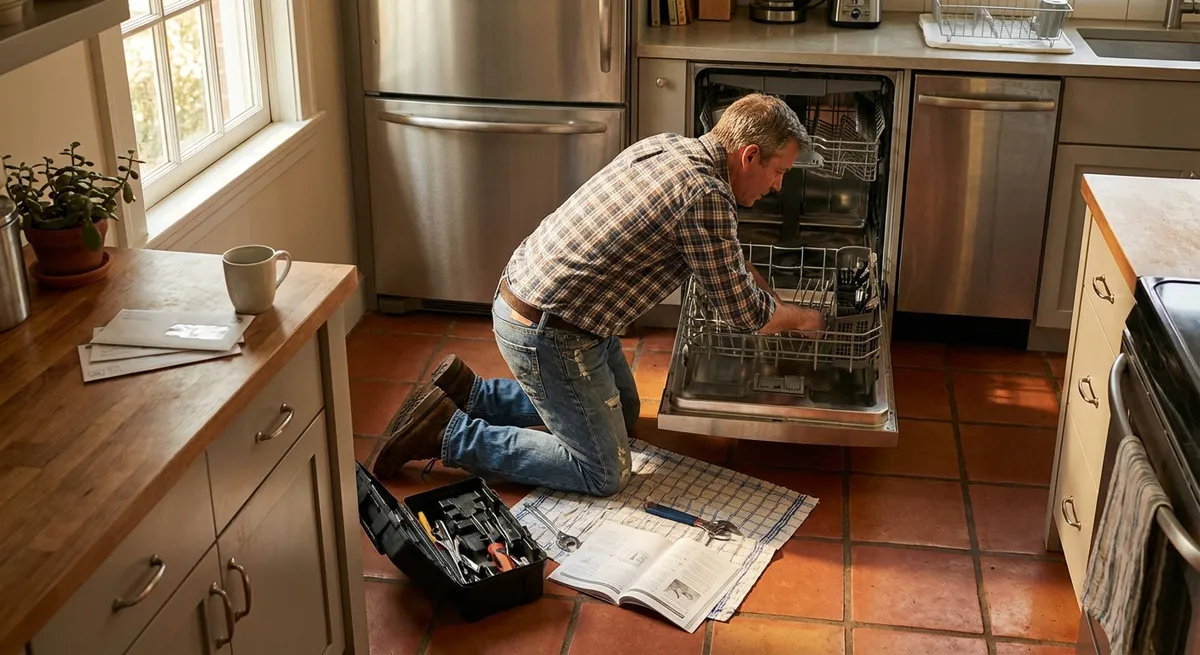
Home appliances quietly do the heavy lifting every day—until one stops mid-cycle, starts leaking, or just refuses to turn on. Calling a pro for every hiccup gets expensive fast, and waiting days for service is frustrating when you just want clean clothes or a working fridge.
This guide walks through five practical, step-by-step repair tips that build real skills, not just quick hacks. Each one is chosen because it’s common, fixable with basic tools, and a great confidence builder for DIY enthusiasts.
Safety and Setup: What to Do Before Any Appliance Repair
Before grabbing a screwdriver, taking a few structured steps will protect you, your home, and the appliance.
- Cut the power first—always.
Unplug small appliances directly from the wall. For hardwired units (like some dishwashers), switch off the correct circuit breaker. For gas appliances, shut off the gas valve if you’ll be near burner assemblies or lines.
- Protect yourself and your home.
Wear safety glasses when dealing with metal panels and screws. Use gloves when handling sharp parts (sheet metal, worn gaskets, or broken plastic). Place towels or a shallow tray under appliances if you expect water leaks.
- Document everything before disassembly.
Take clear photos with your phone from multiple angles. Capture wire connections, hose routing, and screw positions. These pictures become your “reassembly map” and can save you from guesswork later.
- Use the model number to your advantage.
Find the appliance’s model number on the inside wall, door frame, or back panel. Keep it handy to look up diagrams, manuals, and compatible parts. Many manufacturers publish exploded-view diagrams that make repair much easier.
- Start with the easy, non-invasive checks.
Before opening anything: confirm the outlet works, breakers are not tripped, filters are clean, and doors close properly. A surprising number of “failures” are caused by something simple and external.
Step-by-Step Tip #1: Revive a Non-Draining Dishwasher
A dishwasher that finishes a cycle with a pool of dirty water at the bottom doesn’t always mean a dead pump. Often, the issue is a clog you can safely clear at home.
Tools you may need: Screwdriver, pliers, small brush, cup or towels, flashlight.
Step 1: Kill power and remove standing water.
Unplug the dishwasher or flip the breaker. Use a cup or towels to remove most of the standing water in the tub so you can see the bottom clearly.
Step 2: Remove the lower rack and inspect the drain area.
Slide out the bottom rack. Look around the drain and filter area for food scraps, glass, or labels. Manually remove any visible debris.
Step 3: Clean or remove the filter assembly.
Most modern dishwashers have a twist-and-lift filter.
- Rotate it counterclockwise and pull up.
- Rinse under warm running water and scrub gently with a soft brush.
- Check the mesh for stuck seeds, pasta, or paper.
Step 4: Check the drain cover and sump for deeper clogs.
If there’s a drain cover held by screws, remove it.
- Shine a flashlight into the sump area.
- Carefully pull out any debris with your fingers or needle-nose pliers.
- Avoid forcing tools into the pump impeller; you can damage it.
Step 5: Inspect the drain hose and air gap (if installed).
Under the sink, locate the dishwasher drain hose connected to the garbage disposal or sink drain.
- Ensure the hose isn’t kinked or crushed.
- If you have an air gap on the sink deck, remove its cap and clean out any buildup.
Step 6: Restore power and run a short cycle.
Reassemble the filter and covers, reinstall the rack, and restore power. Run a quick cycle and listen at the end to see if the pump runs and water exits properly. If it still doesn’t drain and you’ve cleared clogs, the pump or check valve may be faulty—at that point, consider a professional or replacing the pump assembly.
Step-by-Step Tip #2: Fix a Dryer That Runs But Doesn’t Heat
A dryer that tumbles with no heat wastes time and power but is often fixable without pulling out the entire machine.
Tools you may need: Screwdriver, multimeter (optional but helpful), vacuum with hose attachment.
Step 1: Confirm the basics.
- Electric dryers need both legs of the 240V circuit; a half-tripped breaker can make it tumble without heating. Turn the dryer breaker fully off, then back on.
- Gas dryers: ensure the gas valve is open and you don’t smell gas. If you do, stop and call a professional.
Step 2: Clean the lint screen thoroughly.
Remove the lint filter, clean it completely, and rinse it under warm water if it feels waxy (fabric softener residue can block airflow). Dry it fully before reinstalling.
Step 3: Inspect and clean the vent system.
Pull the dryer away from the wall.
- Disconnect the vent hose.
- Vacuum inside the hose and the vent outlet on the dryer.
- Inspect the wall vent and exterior hood for lint buildup or obstructions (bird nests, leaves). Restricted airflow can cause overheating and trigger safety cutoffs.
Step 4: Test a short cycle with the vent disconnected.
Reconnect power (and gas, if applicable), but leave the vent off temporarily (only if you can safely vent indoors for a brief test).
- Run the dryer on a timed heat cycle for a few minutes.
- Check if the drum area warms up.
If it heats with the vent disconnected, the issue is likely clogged ductwork, not the dryer itself.
Step 5: Consider thermal fuse and heating element (advanced DIY).
If you’re comfortable and have a multimeter:
- Unplug the dryer.
- Remove the back panel or lower front panel, depending on design.
- Locate the thermal fuse (a small white or metal device on the blower housing) and heating element assembly.
- Test for continuity per the service manual or a trusted online diagram. A blown fuse or open element will need replacement with an exact-match part.
If you’re not comfortable working inside the dryer, stop after vent cleaning. Many heating issues are resolved simply by restoring airflow.
Step-by-Step Tip #3: Stop a Refrigerator from Leaking Water Inside
Water pooling under crisper drawers or dripping from the back wall usually points to a blocked defrost drain, not a dying fridge.
Tools you may need: Turkey baster or squeeze bottle, warm water, pipe cleaner or flexible brush, towel.
Step 1: Identify where the water is coming from.
Empty the bottom of the fresh food section and pull out the drawers.
- Look for a small drain hole or channel at the back, often in the center.
- If you see ice or standing water around it, that’s your likely culprit.
Step 2: Unplug the fridge.
Never work inside an appliance with power connected, especially around water or ice.
Step 3: Clear visible ice and debris.
Gently chip away soft ice around the drain with a plastic utensil, not metal (to avoid damaging the liner).
- Remove any food particles or debris you can see blocking the opening.
Step 4: Flush the drain with warm water.
Fill a turkey baster or squeeze bottle with warm (not boiling) water.
- Slowly squirt water into the drain opening.
- Repeat until the water flows freely. You may hear it dripping into the drain pan near the compressor at the back or bottom of the unit.
Step 5: Clear the drain tube from below if accessible.
Pull the fridge away from the wall and locate the drain tube running to the pan.
- Remove the tube if it’s detachable.
- Flush it with warm water and use a flexible brush or pipe cleaner to clear sludge.
- Reinstall securely.
Step 6: Dry the interior and monitor.
Wipe up any remaining water, return the drawers, and restore power. Check the area over the next 24–48 hours. If water no longer collects, your drain is functioning again. Persistent leaks after cleaning may require inspecting door gaskets or defrost components.
Step-by-Step Tip #4: Restore a Washer That Won’t Spin Properly
When a washer refuses to hit full spin or leaves clothes soaking wet, you don’t necessarily need a new machine. Misloading or a worn part is often the real issue.
Tools you may need: Flashlight, screwdriver, adjustable wrench (for some models).
Step 1: Check the load balance and basics.
- Open the lid/door and redistribute clothes evenly around the drum.
- Avoid small, heavy loads (like one big towel or blanket); they’re spin killers.
- Make sure the washer is level—rock it gently from corner to corner. If it wobbles, adjust the feet.
Step 2: Inspect the lid switch or door lock.
Top-loaders often stop spinning if the lid switch is faulty.
- Press the lid switch tab by hand (with the lid open but washer off) to feel if it clicks.
- If the washer only tries to spin when you press this by hand, the switch or lid strike might be misaligned or worn.
- If you hear clicking but no spin, and a “door” or “lock” error appears, the latch may be failing.
Front-loaders rely on a door lock assembly:
Step 3: Look for a broken or worn drive belt (belt-drive models).
Unplug the machine and remove the rear or bottom panel.
- Inspect the belt for cracks, glazing, or slack.
- If it’s loose or broken, note the routing (take photos) and replace it with a manufacturer-approved belt.
Step 4: Check the drain function.
A washer that can’t drain properly often won’t enter a high spin.
- Run a drain-only or spin-only cycle.
- Listen for the pump. If you hear humming but little water movement, the pump or filter may be clogged.
Step 5: Clean an accessible pump filter (mainly front-loaders).
Look for a small access door on the front lower panel.
- Place a shallow pan or towel underneath.
- Slowly unscrew the filter cap; water will pour out.
- Remove coins, buttons, lint, or debris.
- Clean the filter screen, reinstall, and test a spin cycle again.
If the washer drains well and the belt, lid switch, or door lock are all fine, the issue might be a worn motor coupling, control board fault, or internal gearbox problem—typically better suited to an experienced DIYer or professional.
Step-by-Step Tip #5: Solve an Electric Oven That Won’t Heat Evenly
Uneven baking or a completely cold oven can often be traced to a failed heating element or bad connection rather than a full appliance replacement.
Tools you may need: Screwdriver, multimeter (optional), flashlight.
Step 1: Confirm the symptom clearly.
- For electric ovens, test both bake and broil functions.
- If broil works but bake doesn’t, the bake element or its wiring is suspect.
- If neither works, you may have a power supply, control, or thermostat issue.
Step 2: Visually inspect the bake element.
Unplug the range or turn off the breaker.
- Open the oven and remove racks.
- Look closely at the bottom heating element: check for cracks, blisters, or burn spots.
- Any visible break usually means the element is bad.
Step 3: Remove the bake element.
Unscrew the mounting screws holding the element bracket to the back wall.
- Gently pull the element forward a few inches.
- You’ll see two wires connected to terminals.
- Take a photo, then carefully disconnect the wires (using pliers if needed).
Step 4: Test or replace the element.
If you have a multimeter:
- Set it to continuity or a low resistance setting.
- Touch the probes to each terminal; a good element typically shows continuity (non-infinite resistance).
No continuity = failed element.
Replacement:
- Order an exact-match element using your model number.
- Connect the new element to the wires, tuck them back into the opening, and secure the bracket with screws.
Step 5: Inspect the temperature sensor (if uneven heating persists).
Most modern ovens use a small rod-like sensor protruding from the back wall.
- Ensure it’s firmly mounted and not bent or damaged.
- A failed sensor can cause temperature swings and poor baking performance.
Replace it if diagnostics or error codes point to a sensor fault.
Step 6: Verify with an oven thermometer.
Restore power, set the oven to a known temperature (e.g., 350°F / 175°C) and use an inexpensive standalone oven thermometer to check actual internal temperature.
- If it’s consistently off by the same amount, many ovens allow calibration in the settings.
- If readings fluctuate wildly, the control board or sensor may be at fault.
Conclusion
Working on your own appliances isn’t about becoming a full-time repair tech; it’s about understanding how your gear works, catching simple issues early, and saving serious money on service calls. By learning to safely clear a dishwasher drain, restore dryer heat, stop fridge leaks, fix spin issues, and revive an oven, you’re building real, transferable repair skills.
Always work methodically: cut power, document with photos, start with the obvious, and know where your comfort zone ends. When a problem looks bigger than a clogged filter or a single failed part, calling a professional is still a smart, safety-first move. But with these step-by-step tips, many everyday breakdowns become manageable DIY projects instead of emergencies.
Sources
- U.S. Consumer Product Safety Commission – Safety Tips for Appliances - Guidance on safely working around household appliances and preventing accidents
- Energy Star – Clothes Dryers: Proper Use and Maintenance - Explains how venting and maintenance affect dryer performance and safety
- GE Appliances Support – Dishwasher Not Draining - Manufacturer troubleshooting steps for common dishwasher drain problems
- Whirlpool – Refrigerator Leaking Water Inside - Official guidance on diagnosing and clearing refrigerator drain issues
- MIT School of Engineering – Multimeter Basics - Clear explanation of how to use a multimeter safely for continuity and resistance checks
Key Takeaway
The most important thing to remember from this article is that this information can change how you think about Appliances.



