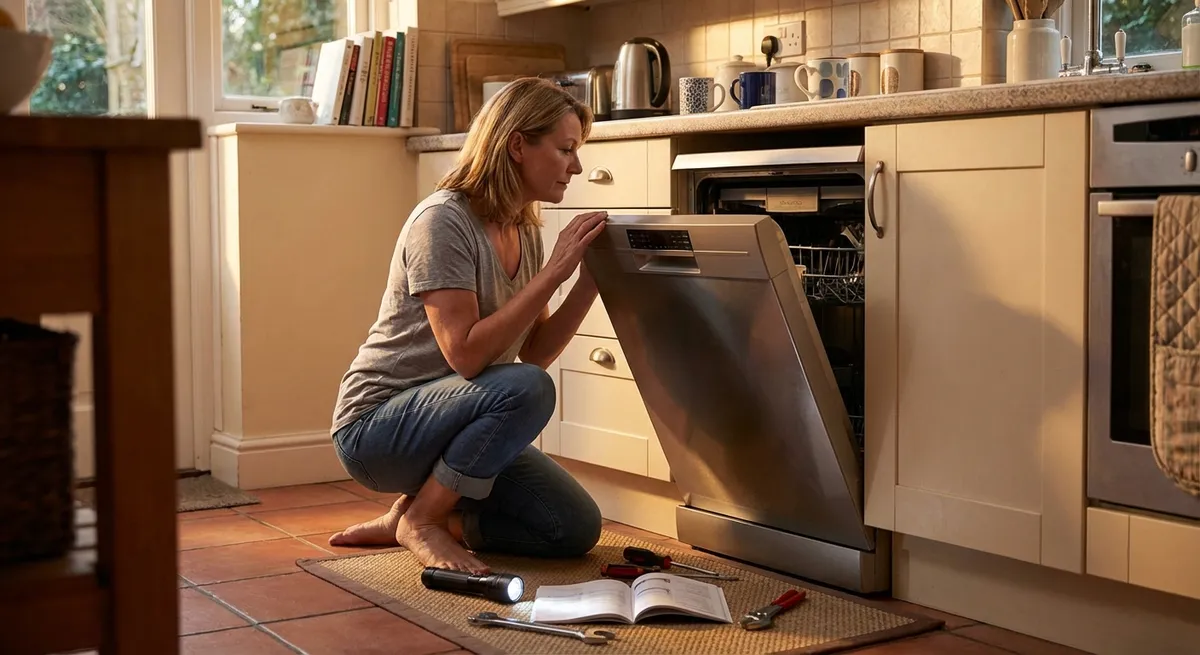
Modern appliances are built to work hard, but even the best fridge, washer, or dishwasher will act up eventually. Before you book a service call (and pay the bill that comes with it), there are a handful of practical checks and repairs you can safely do yourself. With a little patience, a screwdriver, and basic safety habits, you can solve many everyday appliance problems at home.
This guide walks through five step‑by‑step DIY fixes that regularly solve common issues. Each one focuses on realistic repairs that most handy homeowners can handle—no advanced tools or engineering degree required.
Safety First: What to Do Before Any DIY Appliance Repair
Before touching any appliance, slow down and make it safe to work on. Skipping this step is how people get shocked, burned, or cause more damage.
- Disconnect power every time.
- For plug‑in appliances (microwaves, dishwashers, fridges, washers, dryers), unplug them from the wall.
- For hard‑wired units (some dishwashers, built‑in microwaves), turn off the correct circuit breaker and verify power is off using a non‑contact voltage tester if you have one.
- Shut off water when relevant.
- For washers, dishwashers, and refrigerators with water dispensers/ice makers, close the water supply valve before disconnecting any hoses or lines.
- Work in a clear, dry area.
Move the appliance away from walls as needed, and wipe up any spills or leaks. Water plus electricity is a bad mix.
- Take photos as you go.
Snap a quick picture of hose routing, wire connections, panel screw locations, and control knob positions. It makes reassembly much easier.
- Know when to stop.
Burnt wiring smells, scorched circuit boards, gas odors, or signs of serious water damage are red flags. In those cases, stop and call a licensed professional.
Step‑by‑Step Fix #1: Refrigerator Not Cooling Properly
When your fridge feels warm inside but the light still turns on, the problem is often restricted airflow or dirty components—not a dead compressor. You can usually check several things in under an hour.
Tools you might need: Vacuum with brush attachment, soft brush, a towel, screwdriver.
1. Check temperature settings and airflow
- Open the fridge and freezer and confirm the temperature settings.
- Fridge: about 37–40°F (3–4°C)
- Freezer: about 0°F (-18°C)
- Make sure food items aren’t blocking air vents inside the fridge and freezer. Overpacked shelves can block cold air circulation.
- Listen for the evaporator fan (usually in the freezer). You should hear a gentle fan noise when the compressor runs. If the fan is silent or makes loud scraping sounds, the fan motor or blades may be failing and likely need professional replacement.
2. Clean condenser coils
Dirty condenser coils make your fridge work much harder and cool less effectively.
- Unplug the refrigerator.
Locate the condenser coils:
- On many modern fridges, they’re behind a lower kick plate or panel at the front. - On older units, they may be a coil grid on the back. 3. Remove the kick plate or pull the fridge out as needed. 4. Use a vacuum with a brush attachment to gently remove dust, pet hair, and debris from the coils and the surrounding area. 5. For stubborn dirt, use a soft brush (like a clean paintbrush) to loosen buildup, then vacuum again. 6. Reinstall any panels, plug the fridge back in, and allow 24 hours to see if temperatures improve.
3. Inspect the door seals (gaskets)
If cold air is leaking around the doors, the fridge will run constantly and still feel warm.
- Close the fridge door on a sheet of paper or a thin dollar bill so that half of it is inside and half outside.
- Gently pull the paper. You should feel resistance.
- Repeat at different spots along the door. If the paper slides out easily or falls, the seal may be worn, twisted, or dirty.
- Clean the gasket with warm, soapy water and a soft cloth, then dry it thoroughly. Sometimes this is enough to restore a good seal.
- If the gasket is cracked, badly deformed, or hardened, order a replacement specific to your model and follow the manufacturer’s instructions to install it.
If, after these steps, the fridge is still not cooling and you hear clicking, buzzing, or nothing at all from the compressor area, it’s time to call a technician—refrigerant and sealed system repairs are not DIY jobs.
Step‑by‑Step Fix #2: Top‑Load Washer That Won’t Drain or Spin
If your washer stops with a tub full of water, or it finishes the cycle but clothes are soaking wet, you can often trace the problem to clogs, lid switches, or simple balance issues.
Tools you might need: Pliers, bucket or shallow pan, towels, screwdriver.
1. Confirm the basics
- Check for error codes on digital models and look them up in your user manual or online.
- Make sure the washer isn’t overloaded. Heavy loads can keep the tub from spinning properly. Remove some items and re‑run the spin cycle.
- Verify the lid or door is closing properly. Many washers will not spin if the lid switch isn’t engaged.
2. Inspect the drain hose for kinks or clogs
- Unplug the washer.
- Carefully pull the washer away from the wall.
- Locate the drain hose (the larger hose going from the washer to the standpipe or sink).
- Check for kinks, sharp bends, or crushed areas, and straighten them.
- Remove the drain hose from the standpipe or sink and lower it into a bucket or tub to see if water flows out freely.
- If it barely trickles, the hose may be clogged.
- Use a long, flexible brush or water pressure (carefully, outside if possible) to flush debris from the hose. Reinstall the hose securely.
3. Clean the pump filter (for washers that have one)
Many front‑load and some top‑load machines include a small filter or coin trap before the drain pump.
- Check the manual or manufacturer’s website to see if your model has a clean‑out filter.
- Place towels and a low pan or tray under the filter access door (usually on the front bottom area).
- Slowly open the filter cap—water may pour out, so go slowly.
- Remove coins, buttons, lint, and debris from the filter.
- Rinse the filter under running water and re‑install it securely.
If the washer still won’t drain or you hear a humming noise from the pump area with no water movement, the drain pump may be failing and may require professional replacement.
Step‑by‑Step Fix #3: Electric Dryer That Runs But Doesn’t Heat
When your dryer tumbles but clothes stay damp, the heating system or airflow is usually to blame. Start with the simple airflow checks before assuming you have a bad heating element.
Tools you might need: Vacuum, brush, screwdriver, flashlight.
1. Verify the settings and power supply
- Make sure the dryer is set to a heated cycle (not “Air Fluff” or “No Heat”).
If it’s an electric dryer, confirm it’s getting full 240V power:
- If some breakers are half‑tripped, an electric dryer may run the motor on 120V but not heat. - Check your electrical panel for a double breaker labeled “Dryer” and reset it if needed.
2. Check and clean the lint filter and housing
- Remove the lint screen and clean it thoroughly.
- Shine a flashlight down into the lint filter slot. If you see heavy lint buildup, use a vacuum with a narrow attachment or a dryer vent cleaning brush to remove as much as possible.
- Lint buildup in this area restricts airflow and can prevent proper heating (and create a fire risk).
3. Inspect and clean the vent duct
Restricted exhaust is one of the most common reasons dryers stop heating efficiently.
- Unplug the dryer.
- Gently pull it away from the wall.
- Disconnect the vent duct from the back of the dryer.
- Look for visible lint, crushed sections, or sharp bends.
- Use a vent brush kit or vacuum to clean as much lint as possible from both the duct and the wall vent. If the duct is very long or has multiple turns, consider cleaning it from the outside vent as well.
- Reattach the duct, keeping the run as short and straight as possible.
- Plug the dryer back in and test a heated cycle.
If there’s still no heat after cleaning and resetting the breaker, the issue might be with the heating element, high‑limit thermostat, or thermal fuse. These parts can sometimes be replaced by experienced DIYers with a multimeter and a repair manual, but if you’re not comfortable working inside the dryer, have a pro diagnose it.
Step‑by‑Step Fix #4: Dishwasher Leaving Dishes Dirty
A dishwasher that runs but doesn’t actually clean is frustrating and wasteful. Many issues are related to water flow, temperature, or clogged filters—things you can address yourself.
Tools you might need: Soft brush or old toothbrush, toothpick or pin, vinegar, screwdriver (sometimes), flashlight.
1. Clean the filter and check for debris
- Remove the bottom rack from the dishwasher.
- Locate the filter assembly at the bottom (usually a cylindrical or flat mesh component).
- Turn and lift the filter out according to the instructions in your manual.
- Rinse the filter under warm water, scrubbing gently with a soft brush to remove grease and food particles.
- Check the sump area (under the filter) for broken glass, food bits, or foreign objects and remove them carefully.
- Reinstall the filter, making sure it locks firmly into place.
2. Clear spray arms and ensure they move freely
- Remove the lower and upper spray arms (they usually twist off or lift off; check your manual).
- Rinse under warm water.
- Use a toothpick, pin, or small piece of wire to clear any clogged spray holes. Avoid widening the holes.
- Spin each spray arm in your hands to confirm they rotate freely.
- Reinstall the spray arms and spin them by hand to ensure they’re not hitting dishes or racks.
3. Confirm water temperature and loading habits
- Run your kitchen sink hot water tap until the water is as hot as it gets, then start the dishwasher. This ensures it begins the cycle with hot water.
- Ideally, water entering the dishwasher should be about 120°F (49°C). If it’s much cooler, adjust your water heater settings (within safe limits, especially if there are children in the home).
- Avoid nesting bowls and stacking dishes so that water can’t reach surfaces. Face dirty sides toward the spray arms and avoid blocking the detergent dispenser with large items.
If dishes still come out dirty after cleaning filters and spray arms and adjusting water temperature, there may be a failing circulation pump or a control issue that requires professional diagnosis.
Step‑by‑Step Fix #5: Electric Oven Baking Unevenly or Not Reaching Temperature
If your electric oven burns cookies on one side or never seems to reach the temperature you set, simple checks and a basic calibration can help.
Tools you might need: Oven thermometer, flashlight, screwdriver (sometimes), soft cloth.
1. Test actual oven temperature
- Place an inexpensive oven thermometer in the center of the middle rack.
- Set the oven to a common temperature (e.g., 350°F / 177°C).
- Allow at least 20–30 minutes for the oven to fully preheat and stabilize.
Compare the thermometer reading with the set temperature:
- If the oven is consistently off by a similar amount (e.g., always 25°F low), you may only need to adjust calibration. - If temperatures swing wildly, there may be a failing thermostat or control board.
2. Inspect heating elements
- Turn off the oven and let it cool completely.
- Visually inspect both the bake element (bottom) and broil element (top).
Look for:
- Blisters or bubbles - Bright spots or cracks - Areas where the element is broken or separated 4. Turn the oven back on and briefly observe each element while it heats (through the window if possible). Both should glow evenly red. 5. If you see dead sections or a break, the element likely needs replacement. Many homeowners can replace an exposed element by unplugging power, removing a few screws, disconnecting push‑on terminals, and installing a new, model‑specific part—but only do this if you’re fully comfortable working with electrical components.
3. Adjust oven temperature calibration (for models that allow it)
Many digital ovens let you offset the displayed temperature to match reality.
- Check your user manual for “temperature calibration” or “offset” instructions.
- Using your earlier thermometer readings, determine how far off your oven is (e.g., it reads 325°F when set to 350°F → 25°F low).
- Enter calibration mode using your oven’s button combination (varies by brand).
- Adjust the displayed temperature up or down according to your findings.
- Re‑test with the oven thermometer on another day to confirm accuracy.
If the oven never comes close to set temperature, or the display shows error codes, you may need a professional to test the temperature sensor or control board.
Conclusion
Most appliance problems start small: a clogged filter, a dirty coil, a kinked hose, or a bad habit like overloading or blocking vents. Tackling these straightforward checks before calling a technician can solve a surprising number of issues, extend the life of your appliances, and save you real money over time.
Work methodically, keep safety at the top of your list, and don’t be afraid to look up your model‑specific manual or diagrams while you work. When you hit a clear electrical, gas, or sealed‑system problem, that’s your cue to bring in a professional—but by then, you’ll know you’ve already done the practical DIY steps that make the most difference.
Sources
- U.S. Department of Energy – Appliances and Home Electronics – General guidance on operating and maintaining home appliances efficiently
- Consumer Reports – Refrigerator Buying Guide & Care Tips – Information on refrigerator performance, temperature recommendations, and maintenance basics
- U.S. Fire Administration – Clothes Dryer Fire Safety – Details on dryer vent cleaning and lint‑related fire risks
- University of California Agriculture and Natural Resources – Safe Minimum Cooking Temperatures – Reference for appropriate oven and food temperatures
- GE Appliances Support – Owner’s Manuals and Troubleshooting – Example of manufacturer documentation used for model‑specific repair and calibration steps
Key Takeaway
The most important thing to remember from this article is that this information can change how you think about Appliances.



