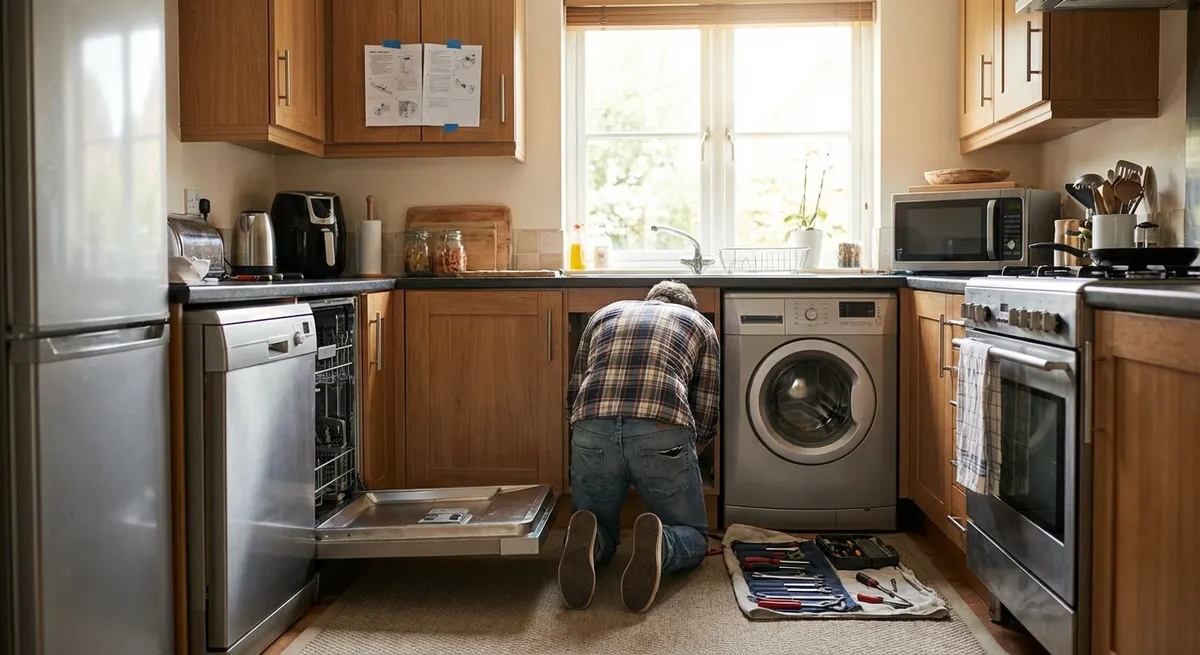
When an appliance quits, it feels urgent fast: food defrosting, laundry piling up, dishes backing up. But a lot of “dead” appliances aren’t actually dead—they’re tripped, clogged, dirty, or misaligned. With a basic toolkit and some common sense safety, you can fix many problems in under an hour and save the service call. This guide walks through five practical, step‑by‑step repair moves any DIY enthusiast can add to their toolkit.
1. Revive a “Dead” Appliance by Tracing the Power Path
Before assuming a motor or control board has failed, verify the simple stuff along the entire power path. Many “won’t turn on” complaints are caused by a tripped breaker, a bad outlet, or a loose plug.
What you’ll need:
Flathead screwdriver, flashlight, inexpensive outlet tester or multimeter (optional).
Step‑by‑step:
- Kill the risk first.
Turn the appliance off. For large appliances, unplug it if you can reach the plug safely. For hard‑wired units (like some dishwashers), turn off the breaker.
- Check the breaker panel.
Open your electrical panel and look for a breaker slightly out of line with the others or labeled for the appliance’s circuit. Flip it fully to OFF, then firmly back to ON.
- If it trips immediately, stop—there may be a short. Don’t keep resetting; you’ll need a pro.
- Test the outlet itself.
- If that doesn’t work either, the outlet or circuit is the problem, not the appliance.
- If the outlet is a GFCI (with TEST/RESET buttons), press RESET and try again.
- Inspect the plug and cord.
- Don’t use any appliance with a frayed or burned cord—this is a fire and shock hazard.
- Confirm internal power (for advanced DIYers).
- Loose screws on wire lugs
- Signs of overheating (blackened plastic, melted insulation)
- Broken or disconnected wires
Plug a known‑working lamp, phone charger, or small tool into the same outlet.
Look for burn marks, cuts, or crushed insulation along the cord. Gently wiggle the plug where it enters the appliance body—if it feels loose, the internal connection may be damaged.
With the appliance unplugged, remove the access panel covering the terminal block or power connection (common on ranges, dryers, and some washers). Look for:
Tighten loose screws gently, reassemble, then test again.
When to stop and call a pro:
If breakers keep tripping, you see melted wiring, or you’re not comfortable working around electrical components, bring in a licensed electrician or appliance tech. Your job as a DIYer is to rule out easy power issues—not to rebuild the electrical system.
2. Clear a Dishwasher That Won’t Drain Without Flooding the Kitchen
A dishwasher that stops with standing water in the bottom often has a simple blockage. The pump, filter, drain hose, or garbage disposal connection can all create a backup. Clearing the flow path usually restores normal operation.
What you’ll need:
Sponge or wet/dry vacuum, small brush or old toothbrush, cup or container, bucket, flashlight, possibly pliers.
Step‑by‑step:
- Unplug or shut off power.
Turn off the breaker if the dishwasher is hard‑wired. Turn off the water supply valve under the sink if accessible.
- Remove standing water.
Use a cup and sponge or a wet/dry vacuum to remove as much water as possible from the tub. This keeps mess to a minimum when you start opening things up.
- Clean the filter and sump area.
- Remove the bottom rack.
- Twist or lift out the dishwasher filter (usually in the tub floor).
- Rinse the filter under warm water and gently scrub debris with a small brush.
- Look down into the sump opening with a flashlight, removing food scraps, glass, labels, and seeds by hand (wear gloves).
- Inspect and flush the drain hose.
Under the sink, locate the flexible drain hose that runs from the dishwasher to the garbage disposal or sink drain.
- Check the garbage disposal inlet.
If the dishwasher is newly installed or recently replaced, a knockout plug inside the disposal’s dishwasher inlet may not have been removed.
- Reassemble and run a test.
Reinstall the filter, reconnect the hose, tighten all clamps, restore power and water. Run a short cycle and watch the drain phase. Check under the sink for leaks.
When to stop and call a pro:
If you hear the drain pump humming loudly but no water moves (even with a clear hose), the pump impeller may be broken or jammed internally. That repair is model‑specific and may require a replacement pump assembly.
3. Restore Fridge Cooling by Cleaning Coils and Checking Airflow
A refrigerator that’s running but not staying cold often isn’t “broken”—it’s suffocating. Dust‑clogged coils, blocked vents, and poor door seals are all fixable at home and can dramatically improve performance.
What you’ll need:
Coil cleaning brush or soft paintbrush, vacuum with brush attachment, mild soap solution, cloth, dollar bill or strip of paper.
Step‑by‑step:
- Unplug the fridge and pull it out carefully.
Give yourself room to work behind or under the appliance. Be mindful of water lines if your fridge has an ice maker.
- Locate and clean the condenser coils.
Coils may be on the back, underneath behind a grill, or on some models, embedded (not accessible). For exposed coils:
- Vacuum loose dust using a brush attachment.
- Use a coil brush to reach between fins and around bends, then vacuum again.
- Avoid bending the thin metal fins—they’re crucial for heat transfer.
- Check the condenser fan.
- Remove any lint, pet hair, or debris from the blades and housing.
- Spin the fan gently by hand; it should rotate freely. If it’s stiff or noisy, the motor may be failing.
- Inspect interior air vents.
- Make sure food containers, boxes, or bags aren’t pressed up against them.
- Rearrange shelves to allow clear airflow between freezer and fresh food compartments.
- Check door gaskets with the dollar bill test.
- You should feel resistance when you pull it.
- If it slides out easily in certain sections, the gasket may be dirty, warped, or torn.
Many modern fridges have a small fan near the coils.
Inside the fridge and freezer, locate the vents (usually at the back or top).
Close the door on a dollar bill or strip of paper in several spots around the perimeter.
Clean gaskets with mild soap and warm water, then dry. Slight warping can sometimes be improved by softening the gasket with warm air from a hair dryer (low setting) and gently pulling it into place.
- Reset and monitor temperatures.
Plug the fridge back in and push it into place, leaving a few inches of space from the wall.
- Set the fridge to around 37–40°F (3–4°C) and the freezer to 0°F (‑18°C).
- Use an appliance thermometer to verify; allow 24 hours for temperatures to fully stabilize after cleaning.
When to stop and call a pro:
If the compressor is hot and running constantly, coils are clean, vents are clear, and temps won’t drop, you could be facing sealed‑system issues (refrigerant leak, failed compressor), which require specialized tools and certification.
4. Fix a Dryer That Takes Forever Without Replacing the Heating Element
A dryer that runs but doesn’t dry properly often has an airflow problem, not a bad heater. Lint buildup in the vent, a crushed hose, or a clogged lint trap path can double or triple drying times—and create a fire risk.
What you’ll need:
Vacuum with hose, crevice tool, dryer vent cleaning brush or flexible rod kit, screwdriver, flashlight.
Step‑by‑step:
- Unplug the dryer and, if gas, shut off the gas valve.
Safety first—no power, no flames. Make sure the gas valve lever is perpendicular to the pipe (off position).
- Clean the lint trap housing.
Remove the lint screen and vacuum deep into the slot with a crevice tool. Lint can build up below the filter where you can’t see it. Some models allow you to remove a cover plate for better access.
- Inspect and straighten the vent hose.
Pull the dryer away from the wall and examine the vent hose.
- Replace plastic or foil accordion hoses with rigid or semi‑rigid metal ducting—they trap far less lint and are safer.
- Avoid sharp bends and crushed sections; aim for smooth, gentle turns.
- Clean the full vent run to the outside.
- Use a vent brush or flexible rod kit to scrub the inside of the duct.
- Pull the brush back frequently and remove the accumulated lint.
- Vacuum around both ends when finished.
- Check the exterior vent hood.
From the dryer end or the exterior vent flap:
Outside, make sure the vent flap opens freely and isn’t blocked by nests, leaves, or lint clumps. Replace broken or stuck hoods—they can trap moisture and lint.
- Reassemble and test airflow.
Reconnect the vent hose securely with clamps. Plug the dryer in (and turn gas back on if applicable).
- Run the dryer on air‑only or low heat and go outside: you should feel a strong flow of air from the vent. Weak airflow means more internal blockage or a failing blower fan.
When to stop and call a pro:
If you’ve cleaned the entire vent path and airflow is still weak, internal ducting, blower wheel, or thermostats may be involved. At that point, disassembly becomes model‑specific and more complex.
5. Quiet a Noisy Washing Machine by Leveling and Balancing
A washer that walks, thumps, or bangs the walls isn’t just annoying—it can damage internal components over time. Many noise and vibration issues come down to improper leveling, worn pads, or out‑of‑balance loads.
What you’ll need:
Bubble level or smartphone level app, adjustable wrench or pliers, flashlight, small piece of cardboard or rubber shim (optional).
Step‑by‑step:
- Pause and redistribute the load.
If the machine starts banging during spin, pause or stop the cycle. Open the lid/door and redistribute heavy items evenly around the drum. Never wash a single heavy item like a large rug alone; pair it with towels to balance weight.
- Check the machine’s level front‑to‑back and side‑to‑side.
Place a level across the top of the washer in both directions.
- The bubble should be centered.
- A tilted machine will vibrate more and go out of balance easily.
- Adjust the leveling feet.
- Tilt the washer slightly to relieve weight from a foot.
- Turn the foot clockwise to lower or counterclockwise to raise (this varies by model—check your manual).
- Recheck with the level as you go until the washer sits solidly without rocking.
- Verify firm contact with the floor.
Most washers have adjustable feet at each corner.
Press down on each corner; there should be no wobble. If your floor is uneven, use the leveling feet as much as possible. For minor dips, a rubber shim or dense cardboard under a foot can help, but avoid stacking makeshift spacers.
- Inspect for worn pads or loose shipping bolts.
For older washers, rubber feet or pads may be worn or missing—replace if needed.
For newer front‑loaders, confirm that all shipping bolts (used to lock the drum during transport) were removed during installation. Left‑in shipping bolts can cause extreme vibration and damage.
- Run a test cycle with a mixed load.
Run a spin cycle with a normal, mixed load of laundry. Stand nearby and listen.
- Mild vibration is normal; loud banging or walking is not.
- If issues persist, faulty suspension rods, shocks, or dampers might be at fault.
When to stop and call a pro:
If leveling doesn’t help and the machine still slams or walks even with balanced loads, the internal suspension system, springs, or bearings may be worn. These repairs are very model‑specific and time‑consuming.
Conclusion
Most appliance issues start small: a bit of lint here, some dust on coils, a crooked leveling foot, a tripped breaker. Left alone, they snowball into breakdowns that feel catastrophic—but many can be reversed with a practical, step‑by‑step approach and basic tools. By getting comfortable with tracing power issues, clearing drains and vents, improving airflow, and stabilizing moving parts, you’ll not only solve today’s problem but also prevent the next one.
The next time an appliance misbehaves, don’t jump straight to replacement. Work through these checks methodically, know where your comfort line is, and call in a pro when safety or complexity demands it. Over time, you’ll build a personal repair playbook that keeps your home running—and your repair bills under control.
Sources
- [U.S. Consumer Product Safety Commission – Home Electrical Safety Checklist](https://www.cpsc.gov/safety-education/safety-guides/electrical-safety/home-electrical-safety-checklist) – Guidance on safely working around home electrical systems and outlets
- [Energy Star – Refrigerator & Freezer Maintenance Tips](https://www.energystar.gov/products/refrigerators/refrigerator_maintenance) – Official recommendations on cleaning coils, setting temperatures, and improving efficiency
- [U.S. Fire Administration – Clothes Dryer Fire Safety Outreach Materials](https://www.usfa.fema.gov/safety/fire-risk/dryer-fires/) – Data and best practices on dryer vent cleaning and lint management
- [Whirlpool Appliance Care – Dishwasher Cleaning and Maintenance Tips](https://www.whirlpool.com/blog/kitchen/how-to-clean-a-dishwasher.html) – Manufacturer guidance on filters, drains, and interior cleaning
- [U.S. Department of Energy – Appliances and Equipment](https://www.energy.gov/energysaver/appliances-and-electronics) – General information on appliance efficiency and proper operation
Key Takeaway
The most important thing to remember from this article is that this information can change how you think about Appliances.



