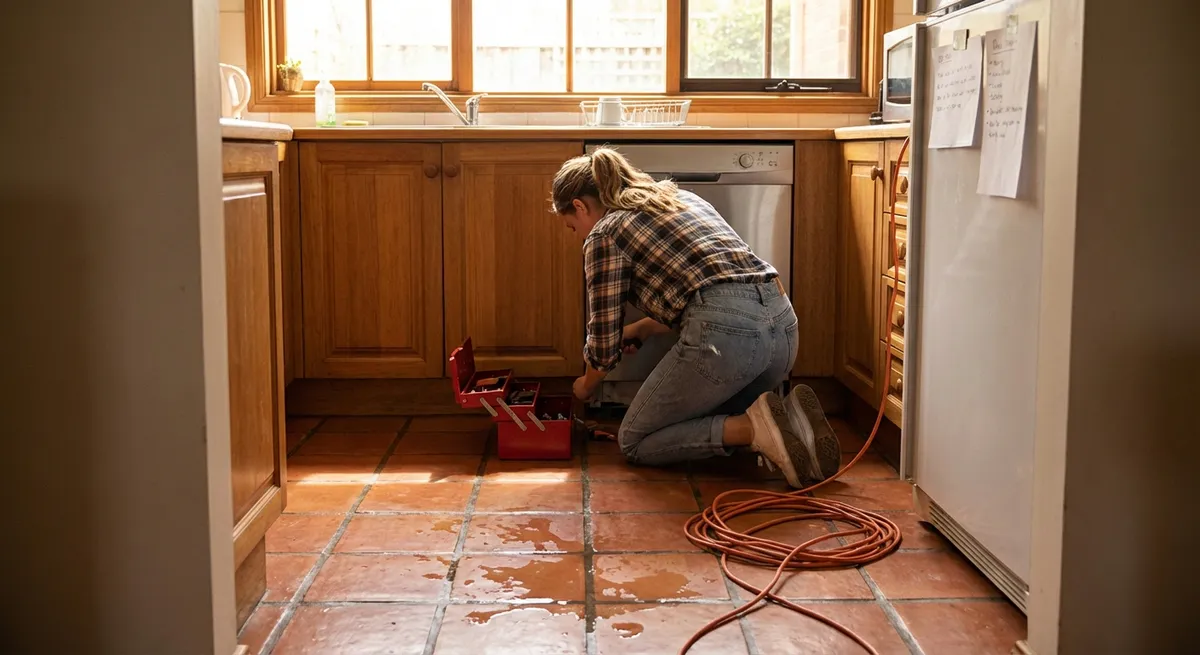
When an appliance quits on you, it usually picks the worst possible time. But a lot of “dead” machines aren’t actually broken — they’re just tripped, clogged, or confused. With a few simple checks and basic tools, you can solve many issues yourself and save the service call for the truly serious problems.
Below are five step‑by‑step repair tips that DIY‑minded homeowners can tackle safely. Each one focuses on a common failure that looks major but often has a simple fix.
1. When Your Washing Machine Won’t Drain or Spin
A washer that stops full of water looks like a disaster, but the cause is usually a clog or a stuck lid sensor.
Step-by-step
Kill the power and water first
Unplug the washer. Turn off both hot and cold water valves at the wall. This protects you from shocks and leaks while you work.
Check for an unbalanced or overloaded drum
Open the lid and redistribute heavy items like towels or blankets. Remove a few if the drum is packed tight. Many machines refuse to spin if the load is unbalanced.
Inspect the lid switch or door lock
For top‑loaders, gently press the lid switch with a pen while starting a spin cycle. If nothing happens, the switch might be faulty or out of alignment. For front‑loaders, make sure the door is closing firmly and the latch isn’t broken or clogged with lint.
Clear the drain filter or pump clean‑out
Most front‑load washers have a small access door near the bottom front. Place a shallow pan and towels underneath. Slowly open the cap or drain hose — water will pour out. Remove coins, hair, and debris from the filter, then reattach everything firmly.
Inspect the drain hose for kinks or clogs
Pull the washer gently away from the wall. Look for sharp bends, kinks, or visible buildup at the hose connection. Straighten kinks and remove the hose to flush it with water if needed. Reconnect securely and test a short drain/spin cycle.
2. When Your Fridge Is Warm but the Freezer Still Feels Cold
This problem often points to airflow issues, not total compressor failure. Warm fridge + cold freezer is a classic sign of frost buildup or a blocked vent.
Step-by-step
Confirm basic settings and clearances
Make sure the temperature is set to the manufacturer’s recommended range (usually around 37–40°F for the fridge, 0°F for the freezer). Check that the fridge has 1–3 inches of clearance behind and above for good airflow around the coils.
Listen for the evaporator fan
Open the freezer door and press the door switch with your finger. You should hear a small fan running. If it’s silent or grinding, the fan may be stuck by ice or failing. If it runs, airflow is probably being blocked somewhere else.
Inspect vents for blocked airflow
Inside the fridge and freezer, find the vents where cold air enters and exits. Move containers, boxes, and bags away from them. Overpacked shelves can choke airflow and cause warm spots.
Check for frost buildup on the freezer back panel
Heavy frost on the back wall of the freezer usually means a defrost problem. As a first DIY step, unplug the fridge, leave doors open, and let it completely defrost (place towels to catch water). This can restore airflow temporarily and tell you if frost is the culprit.
Clean condenser coils thoroughly
Pull the fridge out and unplug it. Access the coils underneath or on the back. Use a coil brush and vacuum to remove dust and pet hair. Dirty coils make the compressor work harder and can cause weak cooling over time. Plug back in and allow at least 24 hours for temperatures to stabilize.
3. When Your Electric Dryer Runs but Doesn’t Heat
If the drum spins and the timer runs but clothes stay damp, you might be dealing with a power issue, airflow restriction, or a failed heating component.
Step-by-step
Verify the outlet and breaker
Electric dryers often use 240V circuits with two breakers tied together. If one half trips, the motor can run on 120V but the heater won’t. Check your panel: fully switch the dryer breaker OFF, then back ON. Confirm the dryer plug is fully seated in the outlet.
Clean the lint trap and interior housing
Remove the lint screen and use a vacuum with a crevice tool to clean inside the slot. Built‑up lint reduces airflow, which can cause overheating and trip safety devices inside the dryer.
Inspect and clean the exhaust vent
Unplug the dryer, disconnect the vent hose, and look inside both the hose and wall duct. Remove lint clumps by hand and then vacuum. Kinked or crushed foil hoses should be replaced with rigid or semi‑rigid metal duct for better airflow.
Test a short cycle with the vent disconnected
With the vent temporarily detached (and the dryer positioned safely), run a brief timed‑dry cycle. If it now heats, your problem is likely in the external venting system, not the dryer itself. Do not run it like this long‑term — it’s just a test.
Check for a tripped thermal fuse (if comfortable opening panels)
Unplug the dryer, remove the rear or lower front panel, and locate the small thermal fuse on or near the exhaust duct (consult your model’s diagram). Using a multimeter set to continuity, test the fuse: no continuity usually means it’s blown and must be replaced. If it blew, heavily inspect and correct venting and lint buildup before installing a new one.
4. When Your Dishwasher Leaves Grit or Cloudy Film on Dishes
Dirty dishes after a full cycle doesn’t always mean a dying dishwasher. Water temperature, spray pressure, and basic maintenance all play big roles.
Step-by-step
Run the hot water at the sink first
Before starting the dishwasher, turn on the hot tap nearest to it and let it run until the water is fully hot. Many units start with whatever’s in the pipe; starting with hot water improves cleaning performance.
Check spray arms for clogs
Remove the lower and (if accessible) upper spray arms. Use a toothpick or thin wire to clear food fragments from each spray hole. Rinse under running water until jets are clear, then reinstall firmly.
Clean the filter and sump
Most modern dishwashers have a removable filter at the bottom. Twist and lift it out, then rinse under hot water, scrubbing with a soft brush to remove grease and food. Wipe out the sump area (the well beneath the filter) to remove debris that can recirculate.
Avoid overloading and blocking the detergent door
Make sure tall plates, pans, or utensils aren’t blocking the detergent dispenser. Load dishes so that water can reach all surfaces — avoid nesting bowls and stacking items too tightly.
Run a maintenance cycle with a cleaner or vinegar
Run an empty cycle with a dishwasher cleaning product or a cup of white vinegar in a dishwasher‑safe cup on the top rack. This helps remove mineral deposits and grease that affect cleaning performance. If you have hard water, consider using rinse aid regularly to reduce cloudy film.
5. When Your Oven Won’t Reach or Hold the Right Temperature
If your baking is suddenly undercooked or burnt, the oven might be mis‑calibrated, dirty, or struggling with a faulty sensor — not necessarily beyond repair.
Step-by-step
Confirm the issue with an oven thermometer
Place a reliable oven thermometer in the center of the middle rack. Preheat to a common temperature (like 350°F) and wait 15–20 minutes after the preheat beep. Compare the reading to the set temp. Repeat once or twice to be sure.
Reposition racks and remove heavy obstructions
Avoid placing large baking stones or pans that cover most of a rack, especially during preheat. They can block air circulation and cause uneven temperatures.
Clean heavily soiled interiors and racks
Built‑up grease and burnt food can affect heat distribution and trigger smoke or smells that fool users into thinking the oven is overheating. Use manufacturer‑recommended cleaners or a baking soda paste. Avoid damaging the temperature sensor or heating elements.
Check the temperature sensor (for electric ovens)
Look for a thin metal rod on the back wall inside the oven. Make sure it isn’t touching the wall or bent. If comfortable, remove and inspect for obvious damage. A failing sensor can cause big temperature swings, and replacement is often a straightforward DIY job with basic tools and the correct part.
Use built‑in calibration (if your model supports it)
Many digital ovens let you adjust the displayed temperature up or down, usually in 5–10°F increments, via the settings menu or a special key combo in the manual. If your oven consistently runs 20°F low, you can calibrate it to compensate. Recheck with the thermometer after adjustment.
Conclusion
Most appliance issues start with symptoms that look dramatic — no heat, no spin, warm fridge, dirty dishes — but often trace back to airflow, clogs, sensors, or simple neglect. By following safe, methodical steps and focusing on these common trouble spots, you can fix a surprising number of problems yourself and extend the life of the machines you already own.
If you hit a step that feels beyond your comfort zone, or you smell burning, see scorch marks, or suspect a gas leak, stop and call a professional. The goal is smart repairs that protect both your home and your time — not risky experiments.
Sources
- [U.S. Department of Energy – Appliances and Equipment](https://www.energy.gov/energysaver/appliances-and-electronics) – General guidance on using and maintaining home appliances efficiently
- [Consumer Product Safety Commission – Safety Guides](https://www.cpsc.gov/Safety-Education/Safety-Guides) – Official safety information for working around household electrical products and appliances
- [Whirlpool Washer Product Help](https://producthelp.whirlpool.com/Laundry/Washers) – Manufacturer troubleshooting steps for common washer problems
- [GE Appliances Refrigerator Support](https://www.geappliances.com/ge/refrigerators.htm#resources) – Official resources and troubleshooting tips for refrigerator performance issues
- [University of Nebraska–Lincoln Extension: Home Appliance Maintenance](https://extensionpublications.unl.edu/assets/pdf/g1968.pdf) – Educational publication covering basic appliance care and problem prevention
Key Takeaway
The most important thing to remember from this article is that this information can change how you think about Appliances.



