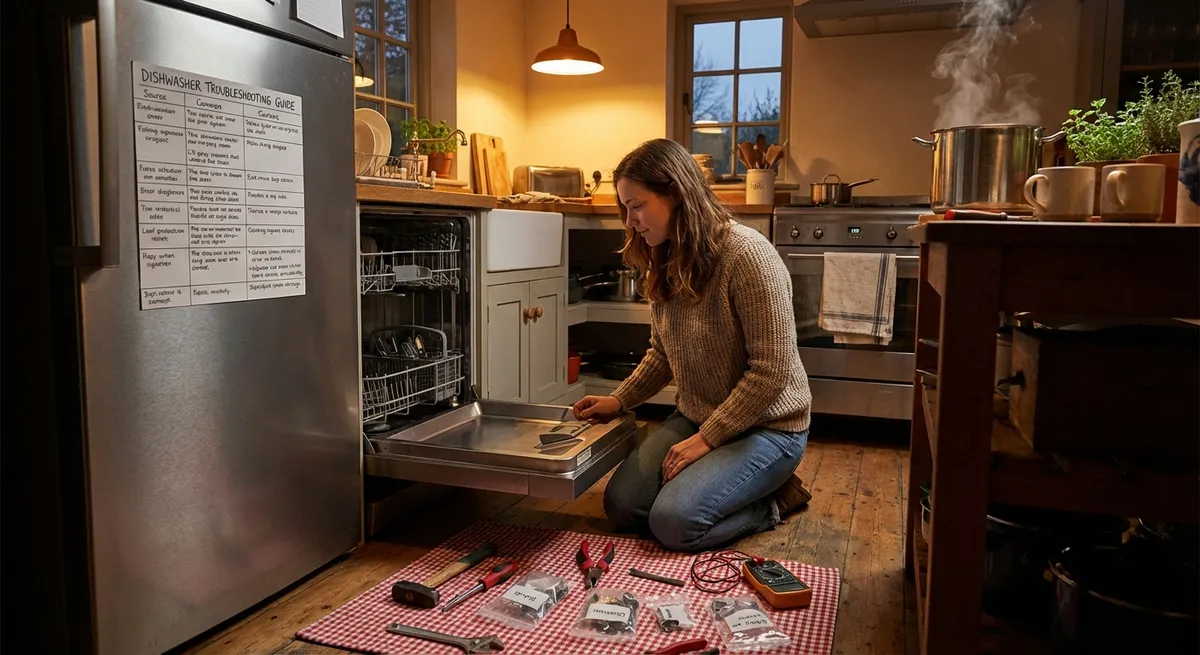
When an appliance fails, it’s rarely “a good time.” But a surprising number of problems are simple, predictable, and fixable without calling a pro. With a few basic tools and a methodical approach, you can safely solve many common issues, extend your appliance’s life, and avoid an emergency replacement bill.
This guide walks through five practical, step‑by‑step repair tips that DIY enthusiasts can actually use, focused on problems that come up again and again in real homes.
Safety First: Ground Rules Before You Touch Anything
Before diving into specific repairs, it’s worth setting some non‑negotiables. Appliances combine electricity, moving parts, water, and sometimes gas—so a cautious mindset is part of the toolkit.
- Disconnect the power every time.
Unplug small and large appliances before opening any panel. For hard‑wired units (like some dishwashers), turn off the correct breaker and verify power is off with a non‑contact voltage tester.
- Respect gas lines and fumes.
If you smell gas, hear hissing near a gas line, or see burned or melted wiring, stop. Shut off the gas supply (if safe), ventilate, and call a professional or your gas utility emergency line.
- Document as you go.
Take clear photos before you unplug a connector, remove a panel, or reroute a belt. Your own images become the best reassembly guide.
- Use the right tools, not “whatever’s close.”
Stripped screws, cracked plastic panels, and damaged connectors usually come from using the wrong size screwdriver or pliers. A basic nut driver set, Phillips/flathead screwdrivers, and needle‑nose pliers cover a lot of ground.
- Know when to stop.
If you need to force parts, bypass a safety switch, or you’re not sure you can reassemble it correctly, step back. Sometimes the smartest repair is calling a licensed technician before more damage is done.
Step‑By‑Step Tip #1: Revive a “Dead” Washing Machine That Won’t Start
A washer that does nothing when you press Start isn’t always a control board failure. Often, the problem is a simple power or door/lid issue you can fix in an afternoon.
What you’ll need
- Screwdriver set
- Flashlight
- Non‑contact voltage tester (recommended)
- Your washer’s model number (for checking diagrams/parts online)
Steps
- Confirm power at the outlet.
Unplug the washer and test the outlet with another device (like a lamp) or a plug‑in outlet tester.
- If the outlet is dead, check your breaker panel for a tripped breaker or GFCI. Reset if needed.
- If the breaker trips again immediately, stop and call an electrician or appliance tech.
- Inspect and reseat the power cord.
- Look for cuts, burn marks, or kinks.
- Ensure the cord is firmly plugged in and not loose in the outlet.
With the washer unplugged, gently pull the machine out just enough to access the cord.
If the cord is damaged, stop using the machine until the cord is replaced.
- Check the door or lid lock mechanism.
Front‑load washers use a door lock; top‑loaders have a lid switch. If the machine thinks the door is open, it won’t start.
- Open and close the door/lid firmly a few times.
- Listen for a click from the latch.
- Inspect for broken plastic, misaligned catches, or debris blocking the latch.
- Test the lid/door switch (basic check).
- Unplug the washer.
- Remove the relevant screws to access the switch area.
- Check for loose wiring connectors; push them firmly into place.
- If the switch is visibly cracked, burned, or broken, it likely needs replacement.
- Try a different cycle and reset.
- Select a short cycle (like “Quick Wash”).
- Press and hold Start for a few seconds.
- If your washer has a reset combo (often in the manual), perform it.
For many models, you can access the lid or door switch behind the top or front panel.
Plug the washer back in and:
If the machine now responds, the issue was likely a loose connection or control glitch.
If you still get absolutely no lights, sounds, or signs of life and power is confirmed, the control board, wiring harness, or internal fuse may be at fault—this is usually the point to consult professional service.
Step‑By‑Step Tip #2: Restore Cooling in a Refrigerator That’s Too Warm
A warm refrigerator doesn’t always mean “it’s dying.” Poor airflow, dirty coils, or a stuck fan often cause temperature creep and over‑running compressors.
What you’ll need
- Vacuum with brush attachment
- Soft brush (bottle brush or old paintbrush)
- Mild dish soap and cloth
- Flashlight
Steps
- Verify temperature settings and door seal.
- Set the fridge to 37–40°F (3–4°C) and the freezer to 0°F (‑18°C).
- Check that the door gasket seals firmly all around—no gaps or torn rubber.
- Slide a thin piece of paper in the gasket; if it pulls out easily with no resistance at multiple spots, the seal may be failing.
- Clean condenser coils thoroughly.
Dirty coils make your fridge work harder and cool less.
- Clear internal air vents.
Cold air must move between freezer and fridge sections.
- Defrost visible ice buildup.
Heavy frost on the back freezer wall or on vents can block airflow.
- Confirm fan operation (if accessible).
- Listen: you should periodically hear a fan running inside the freezer.
- If the compressor is running but you never hear a fan, and airflow feels weak from vents, a failed evaporator fan could be the issue.
Replacing a fan is moderate‑difficulty DIY; if you’re not comfortable accessing wiring and confined panels, have a professional handle it.
If after cleaning coils and improving airflow your fridge still struggles to cool after 24 hours, there may be a sealed system or control issue requiring a licensed technician.
Step‑By‑Step Tip #3: Fix an Electric Oven That Bakes Unevenly
When cookies burn on one side and stay pale on the other, or roasts never seem done in the middle, the problem may be a heating element or temperature sensing issue—not your recipe.
What you’ll need
- Oven thermometer (cheap but invaluable)
- Screwdriver
- Flashlight
- Heat‑resistant gloves
Steps
- Check the actual temperature with an oven thermometer.
- Place the thermometer in the center of the middle rack.
- Preheat the oven to 350°F (about 177°C).
- Once “preheated,” wait 10–15 minutes and read the thermometer.
- Note any consistent difference (e.g., the oven reads 350°F, thermometer says 325°F).
- Inspect visible heating elements.
- Turn the oven off and let it cool fully.
- Inspect the bake (bottom) and broil (top) elements for blisters, cracks, or breaks.
- Turn the oven on for a brief moment to confirm they glow evenly (watch from the door, then turn off and allow to cool).
- A section that doesn’t glow or a visible break means the element likely needs replacing.
- Gently clean temperature probe and interior.
- Many ovens have a thin metal stem on the rear wall (temperature sensor).
- Once cool and unplugged (or breaker off), lightly clean grease buildup from the probe with a soft cloth and mild soapy water; dry fully.
- Clean severely burned‑on grease from the bottom and sides; heavy buildup can affect heat distribution and smoke.
- Reposition racks and test again.
- For most baking, use the middle rack.
- Avoid crowding pans; leave space around them for air to circulate.
- Repeat the oven thermometer test in both front and back positions on the rack to see if one area is significantly hotter.
- Calibrate temperature if your control panel allows it.
Many modern ovens offer calibration—adjusting the display temperature up or down.
If calibration doesn’t correct the issue, the temperature sensor or control board may need replacement—jobs many DIYers can handle carefully, but often easier with professional guidance.
Step‑By‑Step Tip #4: Get a Dishwasher Cleaning Again (No More Gritty Dishes)
When dishes come out with spots, film, or leftover food, it’s tempting to blame the detergent. But clogging, low water temperature, or a dirty filter are frequent culprits.
What you’ll need
- Soft brush or old toothbrush
- Microfiber cloth
- White vinegar
- Needle or pin (for spray arm holes)
Steps
- Clean the filter and sump area.
Most modern dishwashers have a removable filter in the bottom.
- Remove the bottom rack.
- Twist and lift out the filter assembly.
- Rinse under warm water and scrub gently with a soft brush to remove food slime.
- Wipe around the sump (the well under the filter) to clear debris or glass shards.
- Clear spray arm holes.
- Remove spray arms if the design allows (usually simple clips or screws).
- Rinse under running water.
- Use a needle or pin to gently clear clogged jets—avoid enlarging the holes.
- Reinstall the spray arms securely.
- Run a hot water “pre‑flush” at the sink.
- Before starting a wash, run the kitchen faucet on hot until the water is actually hot.
- Then start the dishwasher so it fills with hot water from the start.
- Use a vinegar cleaning cycle.
- Place a dishwasher‑safe cup filled with white vinegar upright on the top rack.
- Run a hot cycle with no dishes.
- This helps dissolve mineral buildup and freshen the interior.
- Check water temperature and detergent use.
- Run your sink hot and measure with a kitchen thermometer; dishwashers typically clean best around 120°F (about 49°C).
- If your water heater is set much lower, consider adjusting (stay within safe ranges to prevent scalding—generally 120°F is a good target).
- Use the correct detergent type and quantity for your machine and water hardness—too much can cause film, too little can leave residue.
Mineral deposits or food can block the tiny holes on the spray arms.
Dishwashers fill from your hot water line. If cold water is sitting in the pipes, your first fill may be too cold to clean well.
Persistent poor cleaning even after these steps may point to a failing circulation pump, weak inlet valve, or sensor issue—workable for advanced DIYers, but often best handled by a pro if you’re new to appliance internals.
Step‑By‑Step Tip #5: Quiet a Rattling or Shaking Dryer
A dryer that thumps, rattles, or tries to “walk” across the floor is both annoying and potentially damaging. Many vibration issues come down to leveling, load balance, and a few wearable parts.
What you’ll need
- Level (bubble level or app)
- Adjustable wrench
- Vacuum with hose attachment
- Flashlight
Steps
- Level the dryer and stabilize the feet.
- Place a level on top, front‑to‑back and side‑to‑side.
- Adjust the leveling feet by turning them with your fingers or a wrench until the dryer is stable and the bubble is centered.
- Make sure all four feet are firmly on the floor—no rocking.
- Check for overloads and unbalanced loads.
- Very small loads (like one heavy towel and a few light items) can cause banging.
- Aim for medium loads, mixing large and small items to distribute weight.
- Avoid large single items (comforters) without other items to help balance.
- Inspect the drum for foreign objects.
- Unplug the dryer.
- Check inside the drum for coins, buttons, or hardware stuck in the drum baffles (the fins inside).
- Rotate the drum by hand and listen for scraping sounds.
- Clean lint and debris from blower and vent path.
Airflow restrictions can force the motor and blower to work harder, amplifying noise.
- Listen for worn support parts (rollers, glides, belt).
- With the dryer running (and supervised), listen:
- Rhythmic thumping often suggests a flat spot on drum rollers.
- High‑pitched squealing can be a worn idler pulley or drum glides.
- These parts are replaceable, but accessing them usually means removing the front or rear panel and loosened belt—an intermediate‑difficulty DIY task. If you’re comfortable following a model‑specific guide, you can tackle it; otherwise, consider a technician.
Conclusion
Most appliance problems start small: a clogged filter, a dirty coil, a loose connection, or neglected cleaning. Addressing these early not only solves current issues but also prevents breakdowns that are more expensive and time‑consuming to fix.
By approaching repairs with safety, patience, and a simple process—observe, clean, check obvious parts, then test—you’ll handle a surprising amount of appliance trouble on your own. When the problem goes beyond what’s visible, you’ll also be better prepared to describe the symptoms to a professional and avoid paying for unnecessary parts or guesswork.
Sources
- [U.S. Department of Energy – Appliances and Equipment](https://www.energy.gov/energysaver/appliances-and-electronics) – Covers recommended temperatures, maintenance, and efficiency tips for major home appliances
- [Consumer Reports – How to Maintain Your Refrigerator](https://www.consumerreports.org/refrigerators/how-to-keep-your-refrigerator-running-better-a1710751614/) – Practical guidance on coil cleaning, temperature settings, and basic troubleshooting
- [Mayo Clinic – Preventing Burns: Setting Water Heater Temperature](https://www.mayoclinic.org/healthy-lifestyle/home-and-garden/in-depth/home-safety/art-20047384) – Explains safe hot water temperature ranges relevant to dishwasher performance and scald prevention
- [U.S. Fire Administration – Clothes Dryer Fire Safety Outreach Materials](https://www.usfa.fema.gov/prevention/outreach/clothes-dryers.html) – Official advice on dryer vent cleaning and safety practices
- [Whirlpool Owner Center – Product Help & Troubleshooting](https://producthelp.whirlpool.com/) – Manufacturer’s troubleshooting steps and diagrams for washers, dryers, dishwashers, and ovens (also useful as a reference for similar brands)
Key Takeaway
The most important thing to remember from this article is that this information can change how you think about Appliances.



