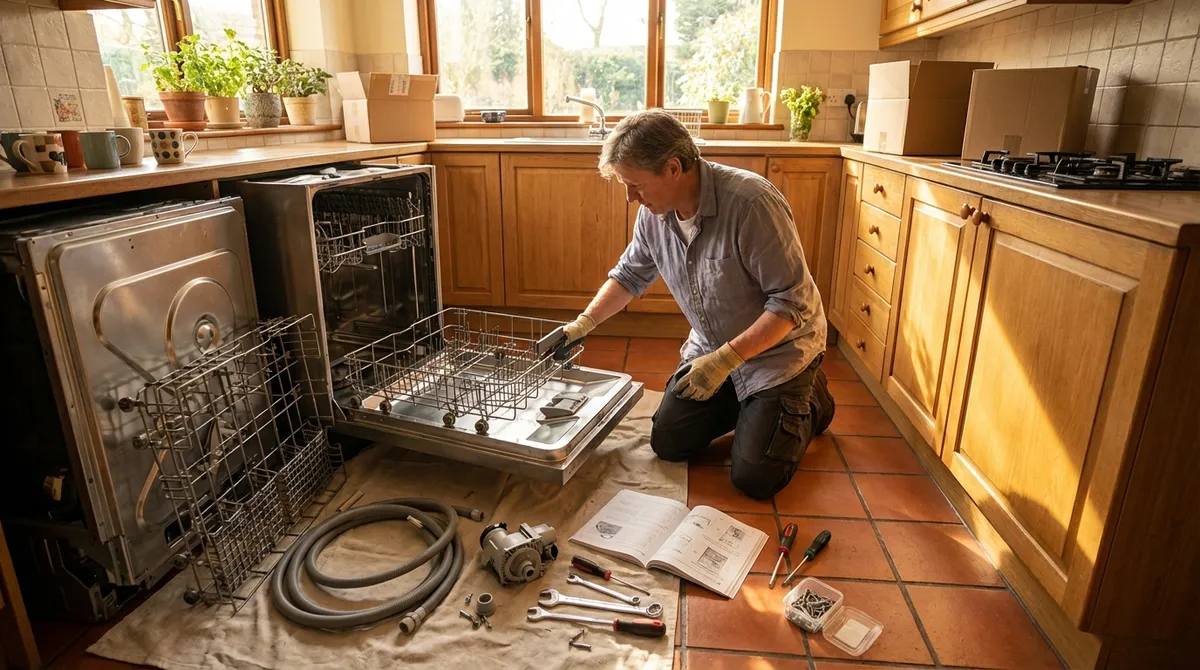
When an appliance acts up, it’s easy to jump straight to panic (and then to an expensive service call). In many cases, though, the problem is simple, safe to tackle, and fixable with basic tools you already own. This guide walks through five practical, step‑by‑step repair tips DIY enthusiasts can use to solve common appliance issues—without guessing, and without making things worse.
Before You Start: Safety and Smart Troubleshooting
Rushing in with a screwdriver is how small problems turn into big ones. A few minutes of prep makes DIY repair safer and more effective.
Start by cutting power. For anything hard‑wired or plugged in, switch the appliance off and unplug it. For ovens, dryers, and other high‑draw appliances, turn off the appropriate breaker at your electrical panel. If you smell burning, see smoke, or suspect a short, stop and disconnect power immediately.
Next, confirm the basics. Many “broken” appliances are dealing with tripped breakers, GFCI outlets that need resetting, child‑lock modes, or improperly closed doors/lids. Check outlet power with another device, look for error codes on the display, and read any quick troubleshooting instructions printed inside the door or on the back panel.
Have the right tools ready: a basic screwdriver set, nut drivers or a socket set, a flashlight or headlamp, needle‑nose pliers, and a multimeter if you’re comfortable using one. Keep your phone handy for photos—take pictures before disconnecting any wires so you can reconnect them correctly. If at any point you feel unsure about electrical work, gas lines, or anything involving high voltage (like microwave internals), stop and call a professional.
Tip 1: Dishwasher Not Draining? Clear the Hidden Blockages
A dishwasher that leaves a puddle of water in the bottom isn’t automatically a pump failure. Often, food debris or a kinked hose is the real culprit. This is a fix many DIYers can handle in under an hour.
Step 1 – Disconnect power and water source
Unplug the dishwasher or turn off the breaker. Shut off the water valve under the sink that feeds the dishwasher. This protects you from shocks and unexpected leaks while you work around plumbing and electrical connections.
Step 2 – Inspect and clean the filter
Open the dishwasher and remove the bottom rack. At the bottom of the tub, you’ll see the filter assembly—usually a twist‑lock cylinder and a flat screen. Remove both (check your manual if needed) and rinse them under hot water, using a soft brush or old toothbrush to remove grease and food sludge. A clogged filter can slow or stop drainage entirely.
Step 3 – Check for debris in the sump area
With the filter out, shine a flashlight into the sump (the recessed area where water collects). Use gloves and needle‑nose pliers to remove any food chunks, broken glass, or labels. Avoid pushing anything deeper into the pump. Rotate any accessible impeller gently with your fingers—if it’s jammed, clearing debris may restore normal function.
Step 4 – Inspect the drain hose and air gap
Under the sink, find the dishwasher drain hose connecting to the garbage disposal or sink drain. Make sure the hose isn’t kinked or crushed. If you have an air gap (a small fitting on the sink or countertop), pop off the cap and clear any buildup. A clogged air gap often mimics a drain pump problem.
Step 5 – Test a short cycle
Reassemble the filter, restore power and water, and run a short or rinse cycle while watching the sink drain area. If water now drains smoothly, you’ve solved it. If the dishwasher still doesn’t drain—and you can hear the pump humming—there may be an internal pump or check valve issue best left to a technician.
Tip 2: Refrigerator Running But Not Cooling? Restore Airflow First
When the fridge runs constantly but everything stays warm, many people assume the compressor is dead. In reality, restricted airflow from dust‑clogged coils or iced‑over vents is a very common cause and often fixable without specialized skills.
Step 1 – Confirm temperature settings and door seal
Verify that the temperature is set correctly (typically 37–40°F / 3–4°C in the fresh food compartment, 0°F / –18°C in the freezer). Check that food packaging or containers aren’t preventing the door from closing fully. Examine the door gasket for cracks or warping, and close the door on a piece of paper—if it slides out easily, the seal may be weak.
Step 2 – Clean condenser coils
Unplug the refrigerator. For units with rear coils, pull the fridge straight out from the wall (carefully, to avoid damaging water lines) and locate the coils on the back. For bottom‑coil designs, remove the front kick plate or rear lower panel. Use a vacuum with a brush attachment and, if available, a coil brush to remove dust and pet hair. Clogged coils make the compressor work harder and cool less efficiently.
Step 3 – Check for blocked internal vents
Inside the fridge and freezer, find the air vents (often near the back or sides). Move food items away so vents are unobstructed; packing items tightly against these vents disrupts cold air circulation. Make sure tall containers or trays aren’t creating dead zones where cold air can’t circulate.
Step 4 – Inspect and defrost evaporator area (if accessible)
If you notice heavy frost buildup on the back panel of the freezer, you may have a defrost issue. Unplug the fridge, remove freezer contents, and take off the interior back panel if it’s designed to be user‑removable. If the evaporator coil is encased in ice, leave the unit unplugged with doors open to melt the ice (towels and a tray will help manage water). Avoid chipping ice with tools—this can puncture coils. Persistent ice buildup likely indicates a failing defrost heater, thermostat, or control board, which is more complex.
Step 5 – Power up and monitor temperatures
Restore power and place an appliance thermometer in both compartments. It may take 12–24 hours for temperatures to stabilize after cleaning coils and restoring airflow. If the compressor runs constantly, coils are warm, and temps still don’t drop, it’s time to consider professional diagnosis for sealed‑system or control issues.
Tip 3: Electric Dryer Spinning But Not Drying? Fix the Heat Path
A dryer that runs but leaves clothes damp often has a problem in the heat or airflow path, not necessarily the heating element itself. Because clogged vents are also a fire risk, this is one DIY job that’s both practical and important.
Step 1 – Verify your settings and load size
Make sure you’re not using “Air Fluff,” “No Heat,” or a low‑heat setting by mistake. Overloading the drum or drying extremely heavy items (like blankets) can trap moisture and mimic a heating failure. Try a normal‑size load with the proper cycle before diving into disassembly.
Step 2 – Clean the lint filter and housing
Remove the lint screen and wash it with warm water and a bit of dish soap if it’s coated in dryer sheet residue. Let it dry completely. Use a vacuum with a narrow nozzle or a lint brush to clean inside the filter housing where lint tends to build up.
Step 3 – Inspect and clear the exhaust duct
Unplug the dryer. Pull it away from the wall and disconnect the vent duct. Check the full length of the duct from dryer to exterior hood for lint accumulation, kinks, or crushed sections. Clean it thoroughly using a vent brush kit or a vacuum. Step outside and confirm the exterior vent flap opens freely and isn’t blocked by nests or debris.
Step 4 – Test heat at the exhaust
Reconnect the duct loosely or leave it off temporarily (if you can safely vent to a garage or well‑ventilated area just for testing). Plug in the dryer and run it on a timed high‑heat cycle for a few minutes. Feel the air at the exhaust—warm, steady airflow suggests the heater is working and the prior issue was a vent restriction. Little to no heat points to a heating element, thermostat, or thermal fuse problem.
Step 5 – Check the thermal fuse and thermostats (for advanced DIYers)
Unplug the dryer again. Remove the rear panel (for rear‑access models) or front lower panel (for front‑access designs). Locate the thermal fuse and thermostats on or near the blower housing and heater assembly (your model’s tech sheet or manual can help). Using a multimeter set to continuity, test each component; an open (no continuity) fuse or thermostat will need replacement. If you’re not familiar with electrical tests, this is the point to call in a pro.
Tip 4: Washing Machine Won’t Spin? Solve the Balance and Lid Issues
A washer that fills and drains but refuses to spin is a common headache. Many of these problems are related to safety switches, imbalance detection, or simple mechanical parts that wear out—and they’re often accessible without complex tools.
Step 1 – Confirm the load isn’t unbalanced
Open the lid or door and check whether the load is heavily shifted to one side (common with blankets, towels, or small loads). Redistribute clothes evenly around the drum and restart the spin cycle. Some machines pause or abort spin entirely when vibrations exceed a limit to protect the motor and bearings.
Step 2 – Inspect the lid or door switch
Top‑load washers have a lid switch; front‑loaders have door‑lock mechanisms. If the machine won’t spin and doesn’t even attempt to, a failed switch is a likely culprit. With the washer unplugged, examine the strike (the plastic piece on the lid or door that engages the switch). If it’s broken or misaligned, the machine may “think” the door is open. Replacement strikes are usually inexpensive and straightforward to install.
Step 3 – Check for error codes and reset
Many modern washers display error codes for imbalance, lid lock, or motor faults. Search your model number and code online or check the manual. Some errors can be cleared by unplugging the washer for a few minutes, then restarting a spin or drain cycle. If the same code returns, use that specific information to guide your next step or to give a technician a head start.
Step 4 – Inspect the drive belt (belt‑driven models)
Unplug the washer. For belt‑driven units, remove the rear panel or tip the washer carefully (with help) to access the bottom. Look for a loose, frayed, or broken belt connecting the motor to the drum pulley. If the belt is damaged or off the pulley, it will prevent spinning. Replacing a belt typically involves loosening the motor mount, fitting the new belt, and re‑tensioning according to the manual.
Step 5 – Look at suspension and shocks
If the washer shakes violently during spin or bangs against the cabinet, worn suspension rods (top‑load) or shock absorbers (front‑load) can be to blame. With the machine empty, press down on the drum; it should move smoothly and return without excessive bounce. Accessing these parts may require cabinet removal but is often a bolt‑on replacement for DIYers comfortable with disassembly.
Tip 5: Electric Oven Not Heating Evenly? Calibrate and Clean the Heat Path
Uneven baking or long preheat times often get blamed on recipes, but your oven may be the real issue. Before replacing elements or control boards, there are a few straightforward checks and adjustments that can dramatically improve performance.
Step 1 – Verify actual oven temperature
Place an oven thermometer in the center of the middle rack. Preheat the oven to a common setting (e.g., 350°F / 175°C) and let it stay there for at least 15–20 minutes. Compare the thermometer reading to the set temperature. If there’s a consistent offset (say, always 25°F low), your oven may simply need recalibration.
Step 2 – Calibrate via the control panel (if available)
Many digital ovens allow users to adjust the calibration by ±30°F or more. Check your manual for “temperature offset” or “calibration” instructions. Using the findings from your thermometer test, adjust the setting—e.g., if the oven runs 25°F low, increase the calibrated value accordingly. Repeat the thermometer test afterward to confirm improvement.
Step 3 – Inspect and clean heating elements and interior
Turn off the oven and let it cool completely. Visually inspect the bake (bottom) and broil (top) elements for blistering, cracks, or burned‑through spots. Clean heavy grease or burnt food from the oven floor and around elements; buildup can create hot and cold spots and produce smoke. Avoid getting cleaning solutions directly on elements—use a damp cloth after scraping or using approved cleaners.
Step 4 – Check the door seal and hinge alignment
A worn or torn oven gasket allows heat to escape, leading to uneven heating and extended cook times. Run your fingers around the rubber seal to check for breaks or flattening. Also ensure the door closes squarely and fully; bent hinges or buildup around the frame can prevent a tight seal. Replacing a gasket is usually a screw‑in or clip‑on job that most DIYers can handle.
Step 5 – Test both bake and broil functions
Turn the oven to “Bake” and, after a minute, carefully observe whether the lower element glows red (for visible elements) or whether heat radiates from the bottom (for hidden elements). Switch to “Broil” and confirm the top element glows. If one element never activates, you may have a failed element, relay, or thermostat. Replacing a visible element is often manageable: unplug or switch off the breaker, remove mounting screws, gently pull the element forward, disconnect spade terminals, and reverse the process with a new element—always double‑checking you’ve matched your exact model.
Conclusion
Most day‑to‑day appliance problems are less about mystery electronics and more about airflow, drainage, balance, and simple mechanical wear. By working methodically—starting with safety, then checking obvious blockages, basic components, and user‑accessible parts—you can solve many issues yourself and know when it’s time to call a professional. Keep your manual handy, document what you do, and treat every “fix” as a chance to understand your home a little better. The more you learn, the less intimidating future breakdowns will feel.
Sources
- U.S. Consumer Product Safety Commission – Home Electrical Safety Checklist – Guidance on basic electrical safety and safe appliance use at home
- Energy.gov – Maintaining Your Appliances and Heating and Cooling Systems – Explains why cleaning coils, filters, and vents improves efficiency and performance
- Whirlpool Product Help – Dishwasher Not Draining – Manufacturer troubleshooting steps for drain issues that support the dishwasher section
- GE Appliances – Refrigerator Troubleshooting Tips – Official guidance on common cooling problems and airflow checks
- NFPA – Clothes Dryer Fires – Details on how dryer vent maintenance reduces fire risk and improves drying performance
Key Takeaway
The most important thing to remember from this article is that this information can change how you think about Appliances.



